Commissioning
EL6631-001040 Version: 3.4.0
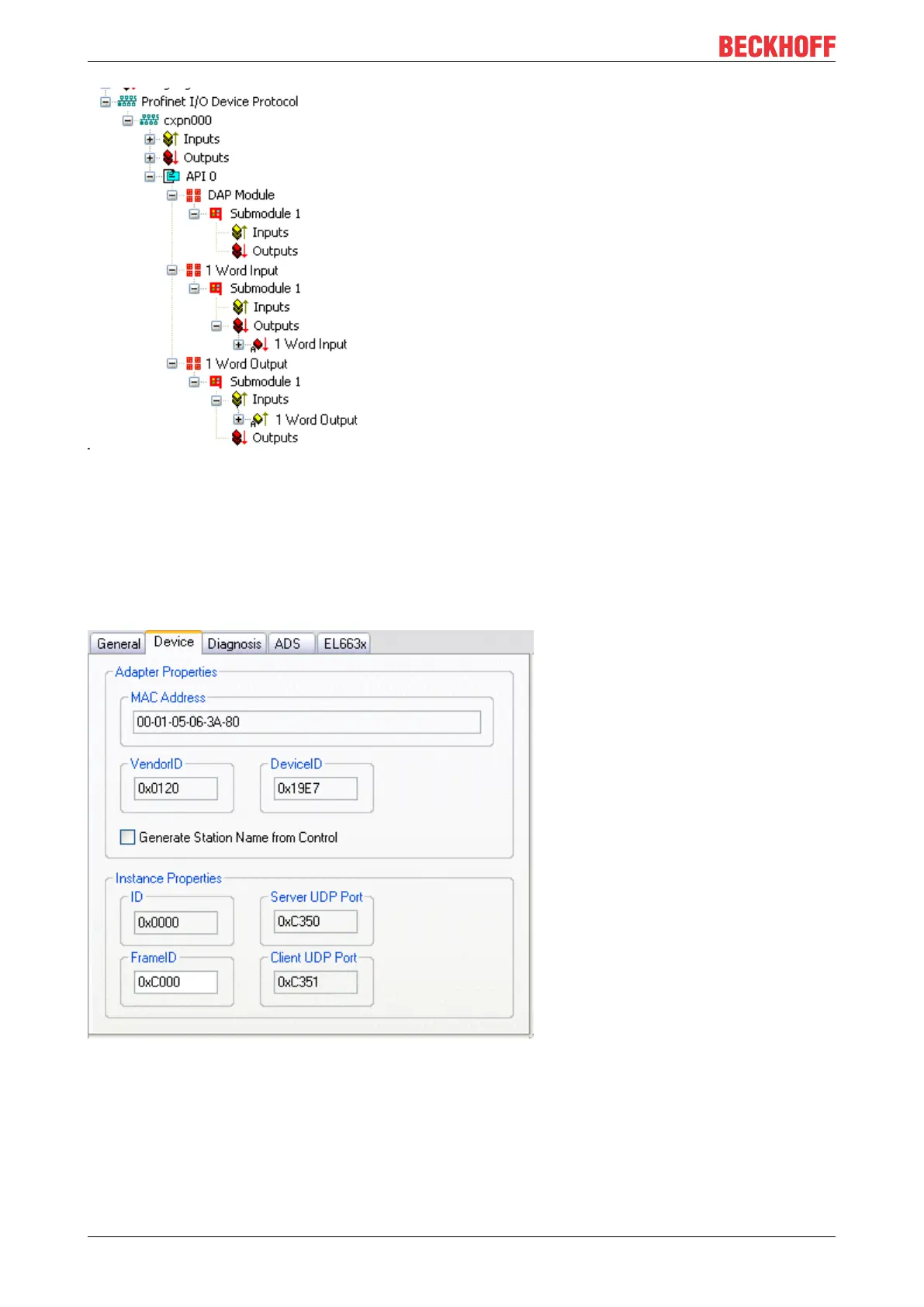
Fig.18: Representation of the inputs/outputs of the PROFINET I/O device
This representation applies only to the TwinCAT PROFINET device, in the case of a TwinCAT PROFINET
controller, the view will correlate again!
4. General settings
The FrameID can be changed on the "PROFINET Devices" tab. However, the default settings suffice for
normal operation!
Fig.19: "Device" tab
4.1 PROFINET name assignment
When the EL6631-0010 is shipped it does not have a PROFINET name. It returns an empty string when the
devices are searched.
There are several ways to assign a name to an EL6631-0010:









 To Next Page