TwinCAT supplement
EL6631-0010 45Version: 3.4.0
5 TwinCAT supplement
5.1 TwinCAT 2.10
5.1.1 PROFINET device integration under TwinCAT 2.10
Installation
An installation version is no longer available for TwinCAT 2.10. Use TwinCAT V2.11 or contact
Beckhoff Support [}80].
1. Integration of the PROFINET protocol
First of all, a real time Ethernet device must be added. This interface must be assigned to an adaptor class.
This is composed of the MAC and IP address of the network card.
Hence, e.g., if a CX9000 is to be parameterized, the target system must first be accessed remotely; the
corresponding Ethernet port can subsequently be selected.
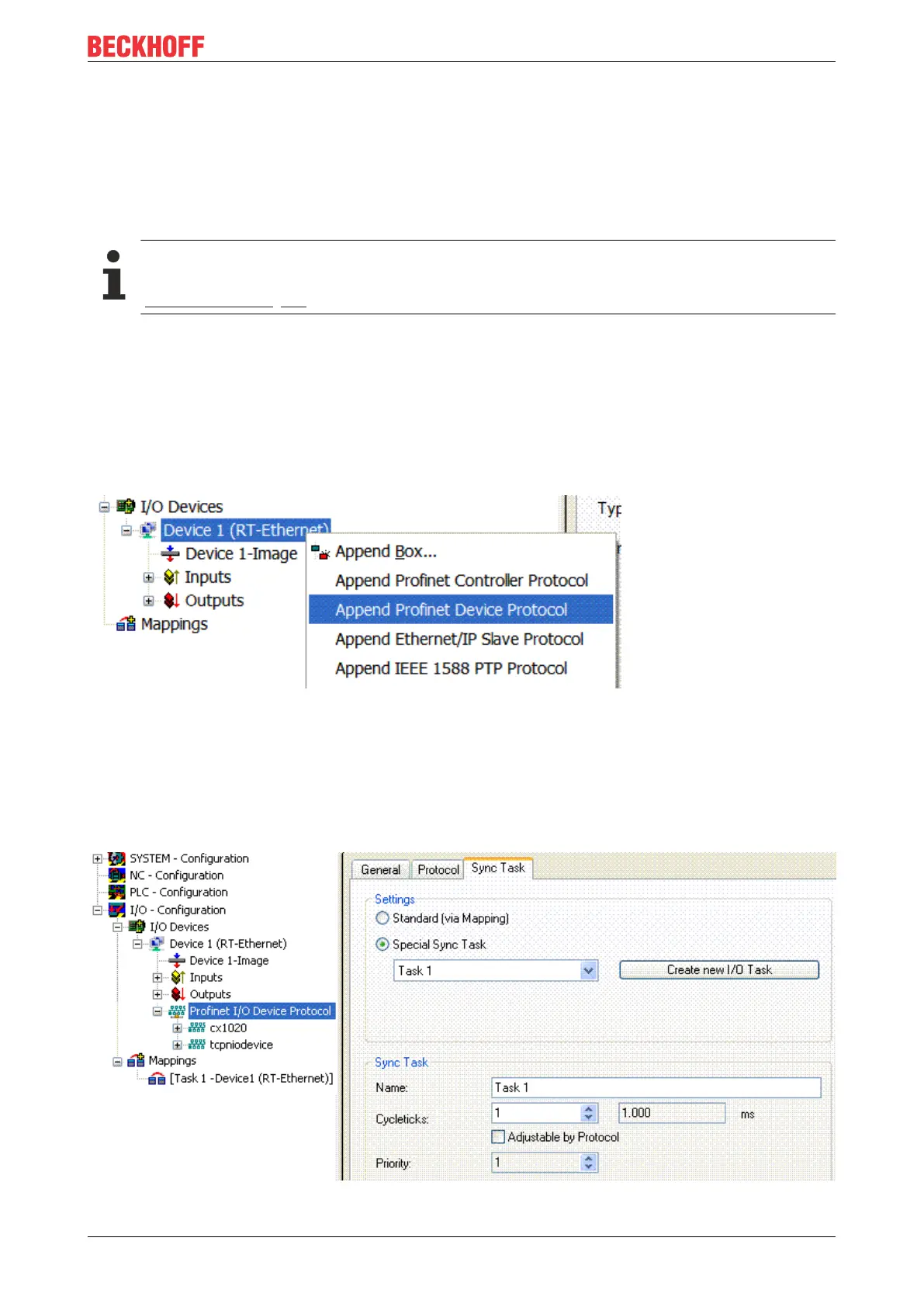
Thereafter, a PROFINET protocol is added by means of the right mouse button. Precisely one TwinCAT
device protocol can be appended!
Fig.27: Inserting a PROFINET device protocol
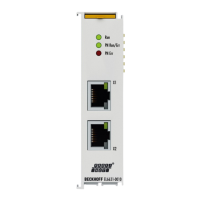
The NetID used can be found under the "Protocol" tab. It is, e.g., necessary for an ADS access. Besides
that, there is a possibility in the "Sync Task" tab to append a free-running task for PROFINET communication
(this is recommended). This allows the RealTime communication to run independently of a PLC task. For
performance reasons, however (e.g. in the case of a CX9000), the Sync Task can be dispensed with and
standard mapping takes place, i.e. a PLC task, for example, must be running in order for PROFINET
communication to be possible.
Fig.28: "Sync Task" tab









 To Next Page