Appendix
EL6631-0010 71Version: 3.4.0
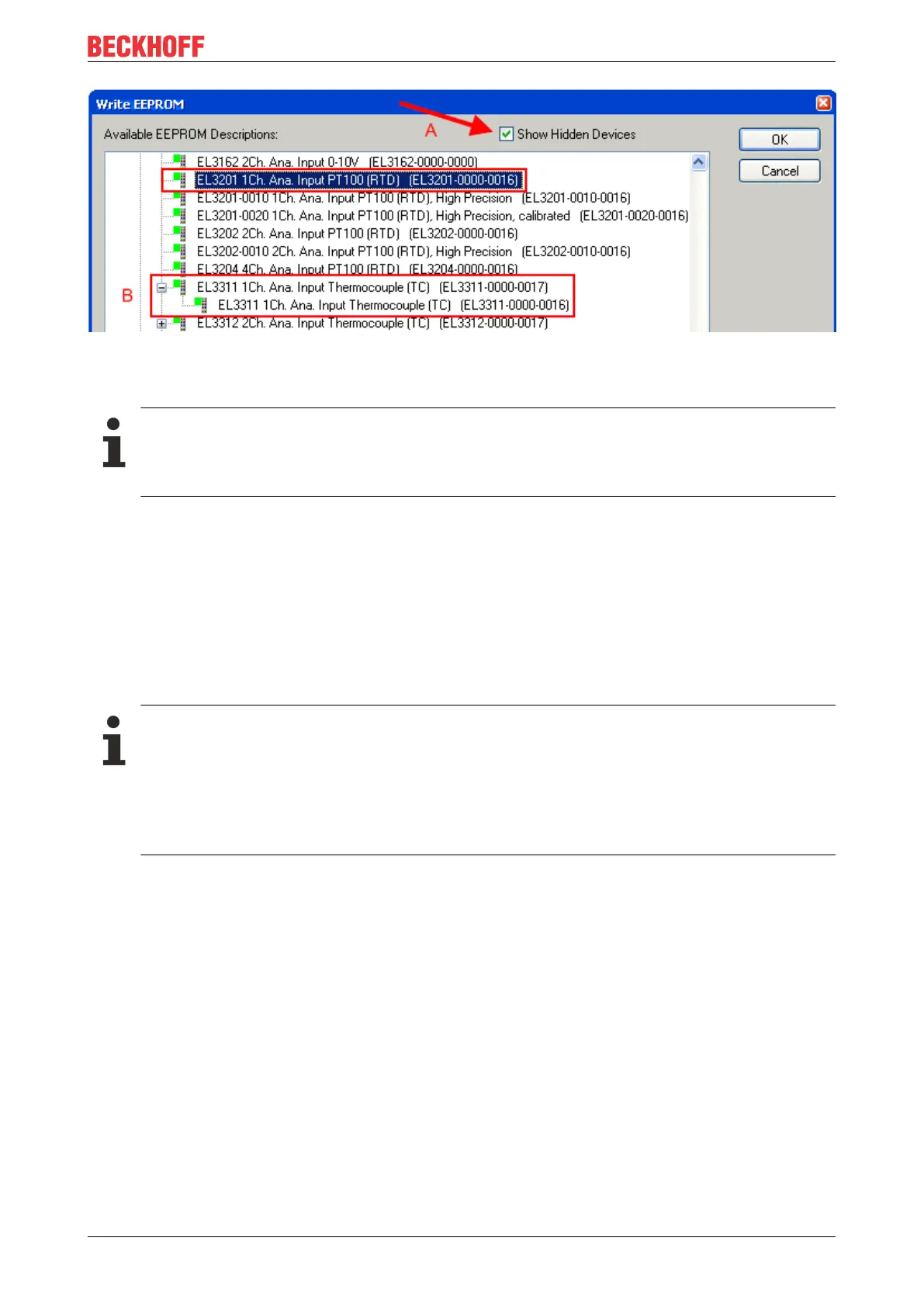
Fig.56: Selecting the new ESI
A progress bar in the System Manager shows the progress. Data are first written, then verified.
The change only takes effect after a restart.
Most EtherCAT devices read a modified ESI description immediately or after startup from the INIT.
Some communication settings such as distributed clocks are only read during power-on. The
EtherCAT slave therefore has to be switched off briefly in order for the change to take effect.
7.4.2 Firmware explanation
Determining the firmware version
Determining the version via the System Manager
The TwinCAT System Manager shows the version of the controller firmware if the master can access the
slave online. Click on the E-Bus Terminal whose controller firmware you want to check (in the example
terminal 2 (EL3204)) and select the tab CoE Online (CAN over EtherCAT).
CoE Online and Offline CoE
Two CoE directories are available:
• online: This is offered in the EtherCAT slave by the controller, if the EtherCAT slave supports this.
This CoE directory can only be displayed if a slave is connected and operational.
• offline: The EtherCAT Slave Information ESI/XML may contain the default content of the CoE.
This CoE directory can only be displayed if it is included in the ESI (e.g. “Beckhoff EL5xxx.xml”).
The Advanced button must be used for switching between the two views.
In Fig. Display of EL3204 firmware version the firmware version of the selected EL3204 is shown as 03 in
CoE entry 0x100A.









 To Next Page