TwinCAT supplement
EL6631-001050 Version: 3.4.0
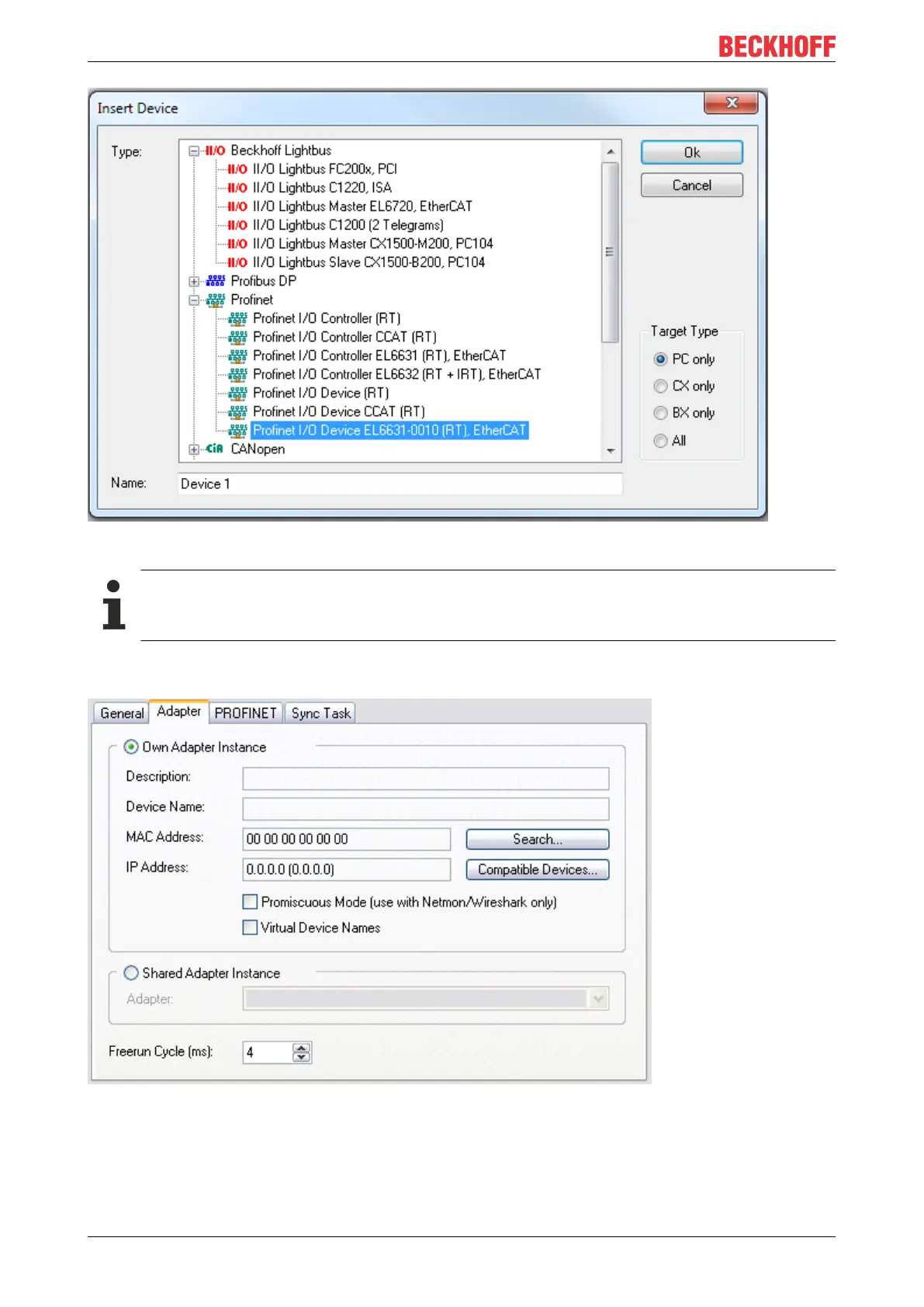
Fig.33: "Insert Device" dialog
Network card
If no card is found, either the TwinCAT is not in Config mode, or the real-time Ethernet driver has
not been installed properly.
This interface must be assigned to an adaptor class. This is composed of the MAC and IP address of the
network card. Look for the corresponding network card by using "Search".
Fig.34: Search button, network card selection
MAC Address:
MAC address of the Ethernet card (read-only)









 To Next Page