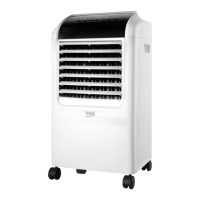
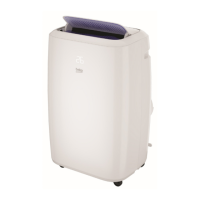
Local Air-conditioner / User Manual
37 / 396 EN
Check up whether the exhaust hose has been mounted properly.
Cautions for cooling and dehumidifying operations:
-
When using functions on cooling and dehumidifying, keep an interval of at least 3minutes
between each On/Off.
-
Power supply meets the requirements.
-
The socket is for AC use.
-
Do not share one socket with other appliances.
-
Power supply is AC220--240V, 50Hz
6.2 Coolng operaton
-
Press the “Mode” button till the “Cool” icon appears.
-
Press the “Down” or “Up” button to select a desired room temperature. (16°C-31°C)
-
Press the “Wind” button to select wind speed.
6.3 Dehumdfyng operaton
-
Press the “Mode” button till the “Dehumidify” icon appears.
-
Automatically set the selected temperature to current room temperature minus 2°C. (16°C-31°C)
-
Automatically set the fan motor to Low wind speed.
6.4 Fan operaton
-
Press the “Mode” button till the “Fan” icon appears.
-
Press the “Wind” button to select wind speed.
6.5 Heatng operaton (ths functon s not avalable for
acold-sngle unt)
-
Press the “Mode” button till the “Heat” icon appears.
-
Press the “Down” or “Up” button to select a desired room temperature. (16°C-31°C)
-
Press the “Wind” button to select wind speed.
6.6 Tmer operaton
Timer On setting:
-
When the air-conditioner is Off, press the “Timer” button and select a desired On time through the
temperature and time setting buttons.
-
“Preset On Time” is displayed on the operation panel, after setting time 5 seconds, ‘settemperature’
will be shown on both display.
-
On time can be regulated at any time in 0-24 hours.
6 Operaton ntroducton


 To Next Page
 Loading...