HomeWhiz Function / User Manual
5 / 92 EN
HomeWhiz feature allows you to control your air conditioner and monitor the room temperature
from your phone.
1.1 HomeWhz setup & user account settngs
To use the wireless control feature of your air conditioner, you need to install HomeWhiz from the
application market for your mobile device. To use the app, ensure your mobile device is connected to
the internet. If you have not used the product before, you first need to sign up within the app with
your e-mail address. Once registration is complete, you can use your account with all HomeWhiz-
enabled appliances in your home. To see appliances paired with your account, tap “Add/Remove
Appliance” from the “Appliances” tab on the app. Here, you can assign appliances to users.
1.
On your mobile device, go to wireless settings and connect to your Home Network you want to
connect your air conditioner.
2.
Tap “Add/Remove Appliance” on the HomeWhiz app.
3.
Tap “Set up a new appliance”.
4.
On the screen that appears, choose “Mobile Air Conditioner”, then choose “my air conditioner’s
remote control is different” in next screen.
5.
Read the on-screen instructions, then tap “Start Setup”.
6.
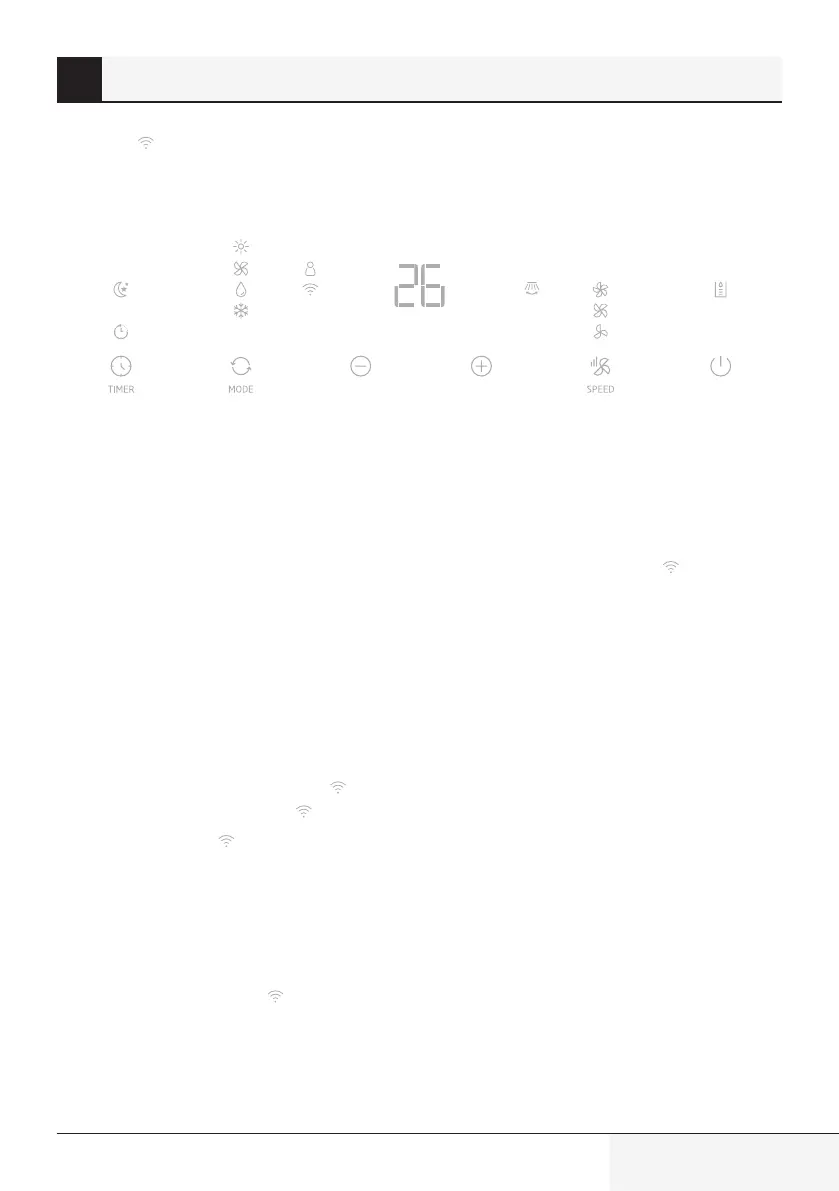
Plug in the device (but don’t press ON on the control panel), on the product display press “SPEED”
button for 5 seconds, wireless icon on display will start blink rapidly, press “SPEED” button for
5seconds again, wireless icon on display will start blink slowly.
7.
While wireless icon on display blinking slowly, “HomeWhiz_xxxx” will be displayed on the
network list to represent the air conditioner.
8.
Go to the next step at the HomeWhiz app and connect your mobile device to “HomeWhiz_xxxx”
network as per the instructions. You should then see the network password on the HomeWhiz app.
Return to HomeWhiz app after connecting to HomeWhiz network.
9.
Choose the home network you want to connect your mobile air conditioner, then enter the
password for the network . If “no home network is found”, tap “join other network”, manually
write “network name” and “password”, choose “security”.
1 HomeWhz functon


 To Next Page
 Loading...