HomeWhiz Function / User Manual
7 / 92 EN
1.3 Manual Control Optons
HomeWhiz manual control options were shown as below;
Operation Mode: Cooling, Heating, Dehumidification, Fan
Target Temperature: In the range of 16-31 °C
Fan Speed: Low, Medium, High
Oscillation: On/Off
C
Note:
it’s also possible to control all its functions on the control panel from the product
directly. The use of HomeWhiz app isn’t mandatory.
1.4 Deletng HomeWhz settngs
HomeWhiz settings can be deleted from the app by following the relevant in-app instructions.
1.4.1 Troubleshootng HomeWhz
If you are having trouble controlling or connecting your product, follow the steps below. Proceed to
the next step if the action does not resolve your issue.
1.
Check whether your mobile device has internet connection.
2.
Close and re-launch the HomeWhiz app on your mobile device.
3.
Restart your mobile device.
4.
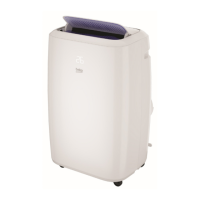
Unplug and reconnect your mobile AC.
5.
If the problem persists, please reach out to an authorized service provider.
1.5 Wreless Network Module Features
Frequency Range 2412 - 2484 MHz
Output Power (Max)
IEEE 802.11b: 20 dBm
IEEE 802.11n: 14 dBm
C
Note:
HomeWhiz operates in the 2.4GHz frequency band.
1 HomeWhz functon


 To Next Page
 Loading...