4. Configuration
4.1 LAN Settings
4.1.1 LAN IP Setting
4.1.1.1 LAN IP Settings
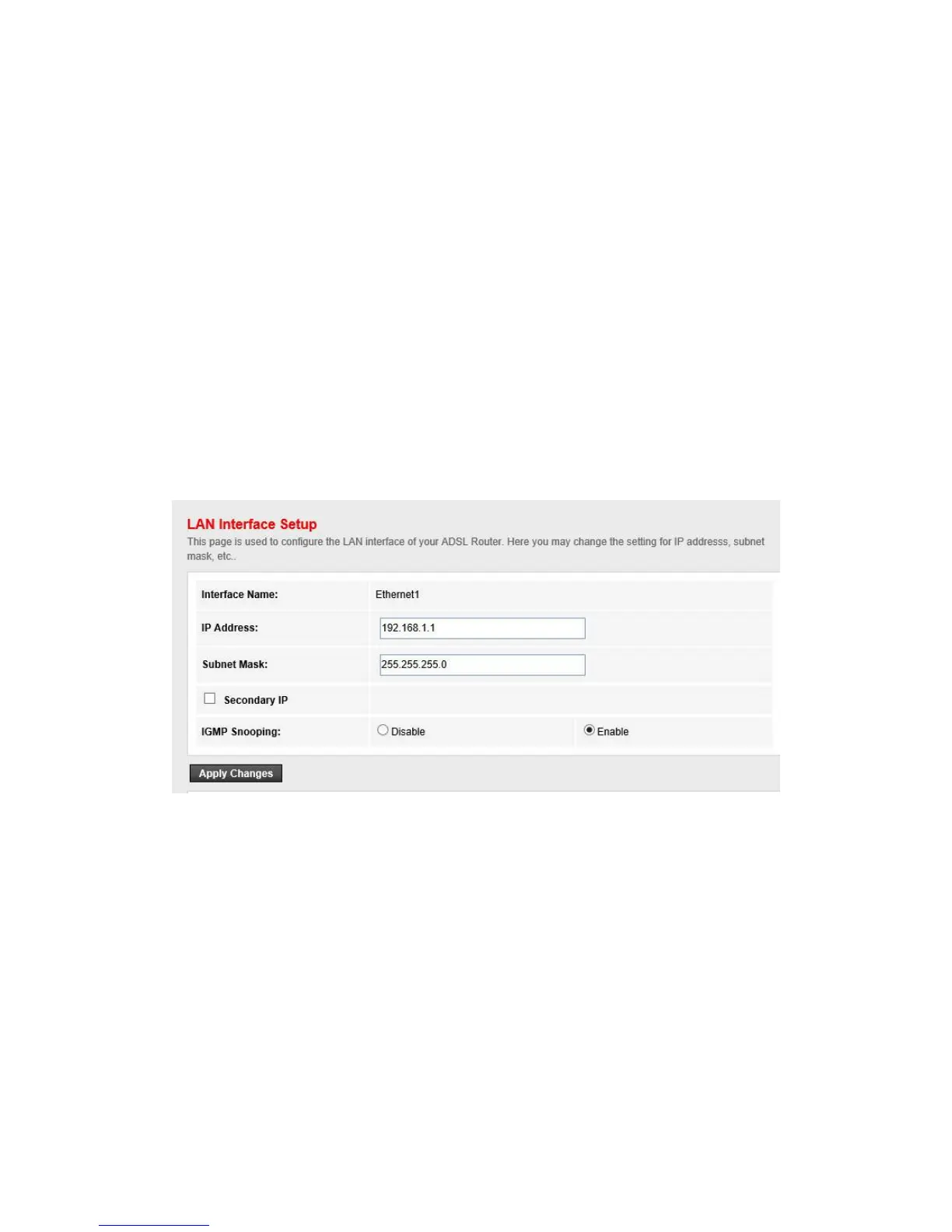
Go to the Setup->LAN page, you can configure the LAN interface of your ADSL Router. You may
change the setting for IP address, subnet mask, etc..
IP address
The IP address of the ADSL router‟s LAN interface, the default value is 192.168.1.1.
Subnet mask
The subnet mask of the ADSL router‟s LAN interface, the default value is 255.255.255.0.
Secondary IP
If you enable the “Secondary IP”, you should configure another IP address and subnet mask
for the LAN interface.
IGMP Snooping
You can enable/disable the IGMP Snooping function by the select radio.
Note:
If you change the IP address of the LAN interface, you should use the new IP address to reconnect
to the web server.


 To Next Page