The first IP and secondary IP must belong to different subnet.
4.1.1.2 Ethernet Link Speed/Duplex Mode
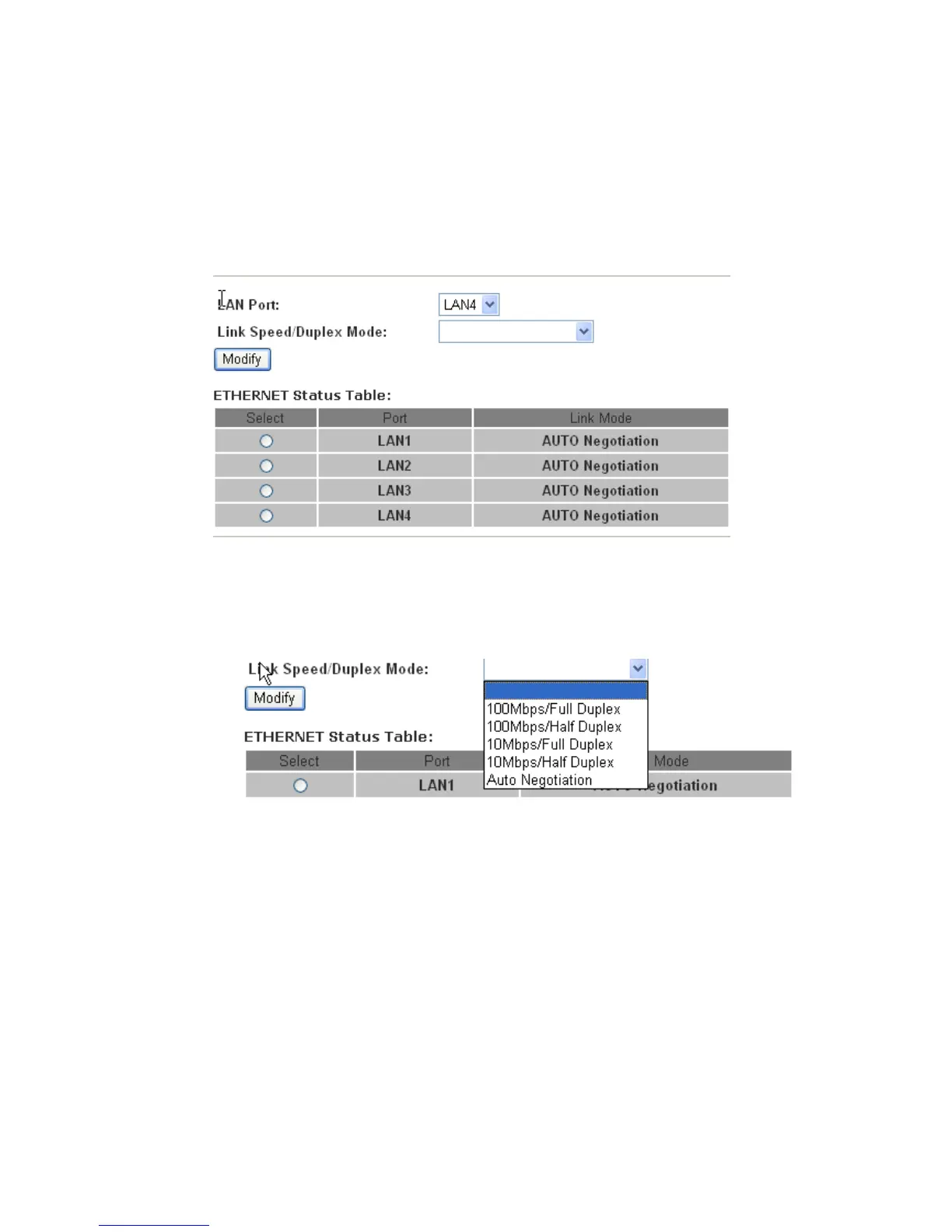
On LAN interface setup, you can also configure each Ethernet port‟s link speed/duplex mode.
LAN Port
specify the LAN port number of the switch, it can be LAN1, LAN2, LAN2 and LAN4
Link Speed/Duplex Mode
the mode of the selected LAN port, the default value is “Auto Negotiation”
You can select a LAN port to modify its link speed/duplex mode.
Note:
If you configure the LAN port to a new mode, such as “100Mbps/Full Duplex”, you must make
the same configuration on the PC‟s NIC which the LAN port is connected to, that is means you
should configure the mode on the PC‟s NIC to be “100Mbps/Full Duplex”.
4.1.1.3 MAC Address Control
The router supports the MAC address control on Ethernet port.


 To Next Page