4.3 WLAN Settings
To connect to the Wireless AP, we should have the most basic configuration of the router at first.
In this section, you can set the wireless network parameters required to access the AP of your
WLAN interface.
4.3.1 Basic setting
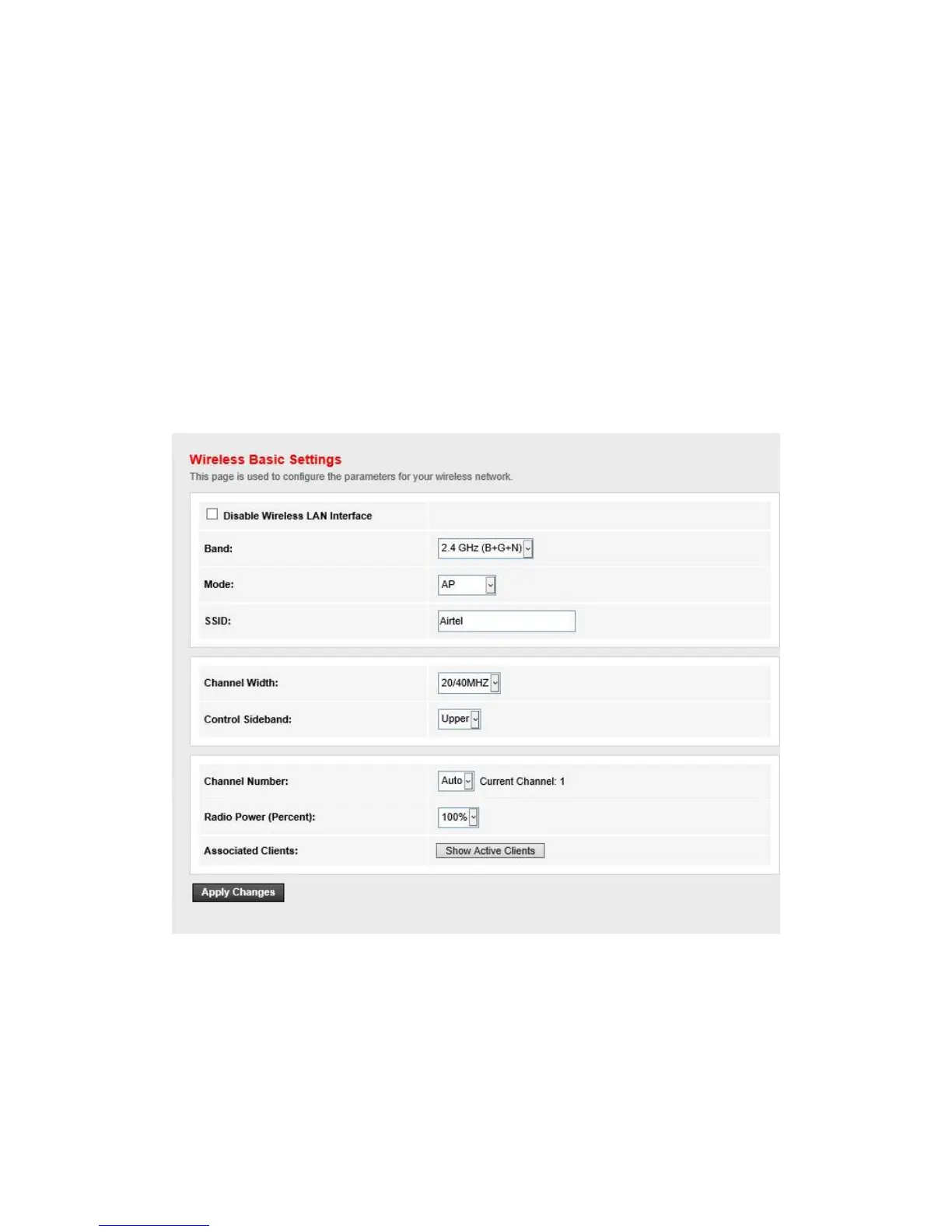
Go to Setup->WLAN->Basic page, you can configure the wireless parameters.
Here you may enable or disable the wireless function. You can also change the wireless
parameters, such as Band, SSID, Channel Width, Control Sideband, Channel Number and Radio
Power.


 To Next Page