3. Connect to the router
3.1 Setup your local network
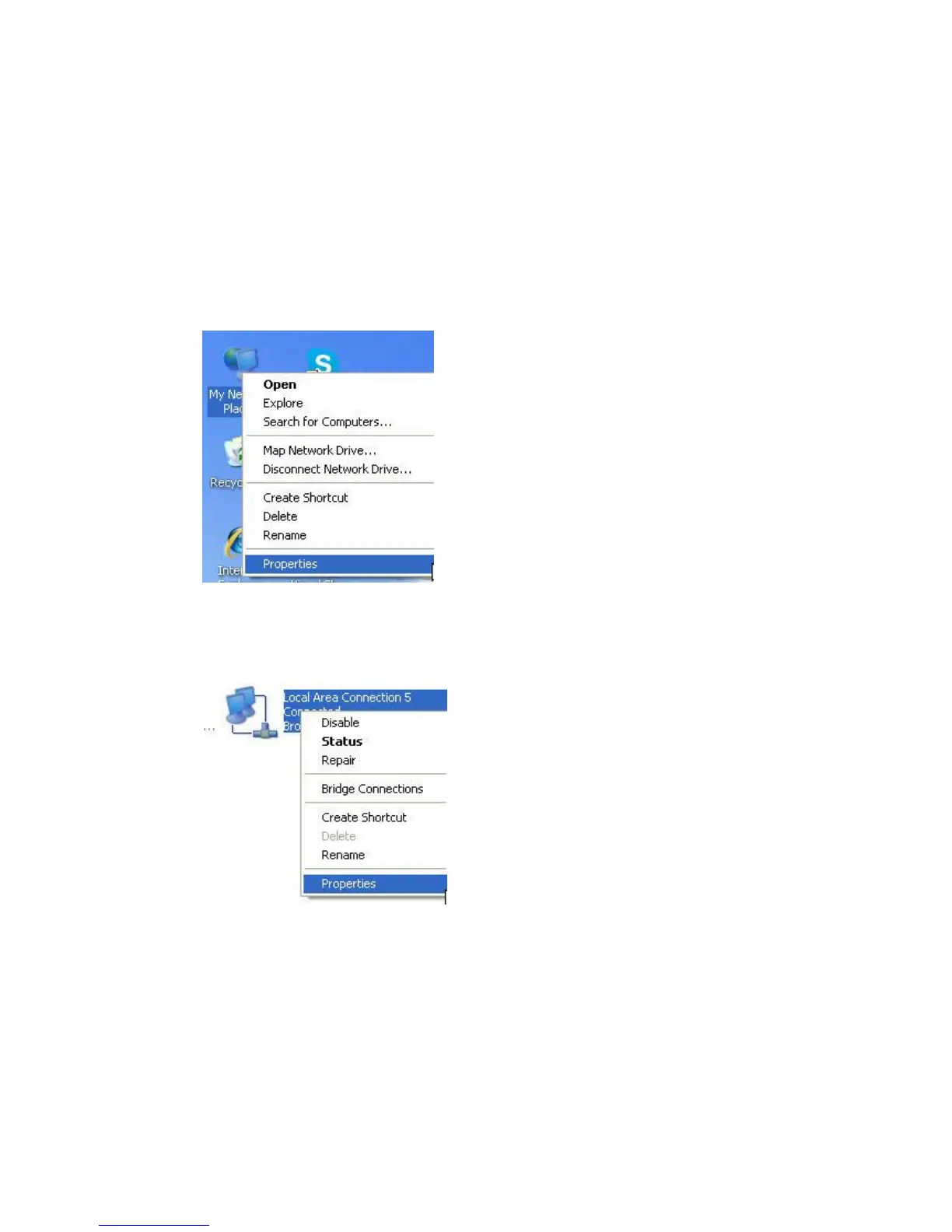
1. Right click the “Network” icon on your desktop, select “properties” in the pop-up menu
2. In the following window, right click on the “Local connection” and select “properties”
3. In the pop-up dialog box, select the “Internet Protocol (TCP/IP)”, and then click the
“properties” button


 To Next Page