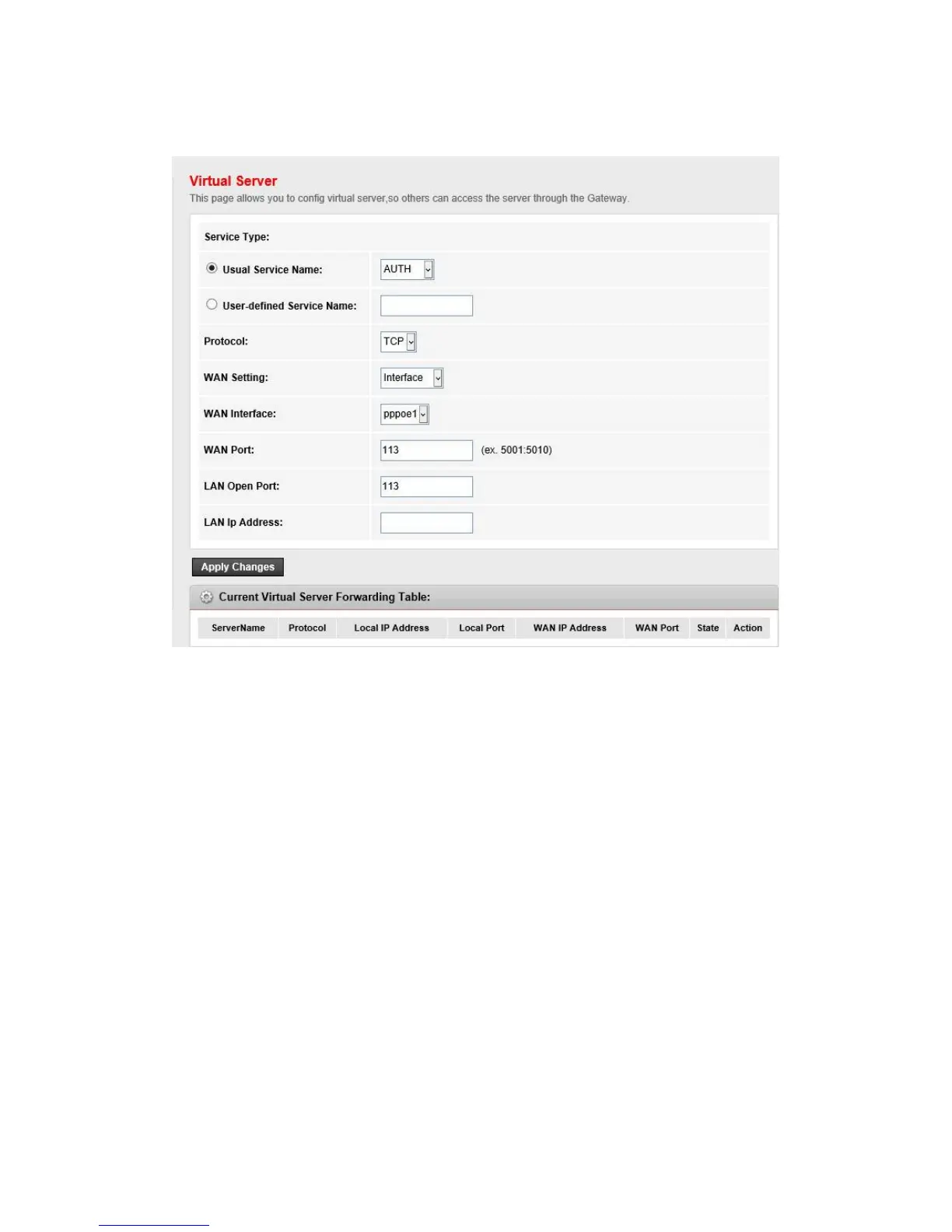
Go to Advanced->NAT->Virtual Server page, you can configure the virtual server settings.
Usual Service Name
the name of this virtual server
User-defined Service Name
the name of this virtual server
Protocol
the protocol of this virtual server used
WAN Setting
the WAN setting of this virtual server used; it can be interface and IP address.
WAN Interface
the interface on which the virtual server used on WAN side
WAN IP Address
the IP addresses which the virtual server used on WAN side. You can access this IP and WAN
port from WAN side to obtain the service.
WAN Port
the open port on WAN side. It can be either a single port or a port range.
LAN Open Port
the open port on LAN host. It can be either a single port or a port range.
LAN IP Address
the IP address of the host which provides the service on LAN side.



 To Next Page