51
ENGLISH
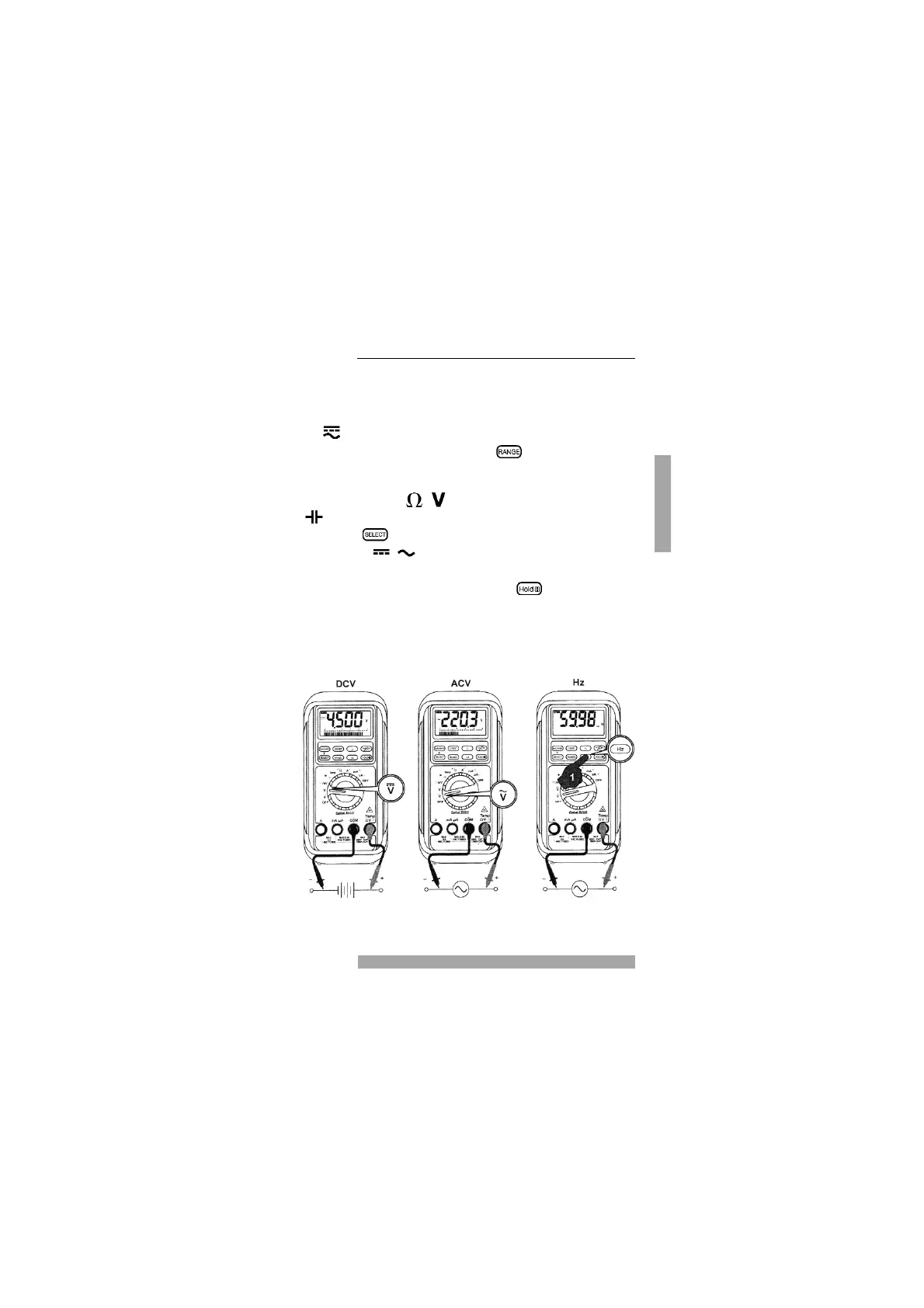
mVolt Measurement Range
❿ Select measurement range
mV via measurement func-
tion selection switch.
❿ Connect the black test lead to
the COM socket and the red
test lead to the / /
socket.
❿ Use the key to select the
voltage type
/
to be
measured.
❿ Connect test leads to UUT.
❿ Read the measurement result
displayed on the screen.
Z The multimeter automatically
selects the most appropriate
measurement range (auto
ranging). The function key
is used for manual
measurement range selec-
tion.
If the display cannot be seen
during the measurement or if the
value is fluctuating, the measure-
ment value can be frozen by pres-
sing key .
Voltage Measurement


 To Next Page