63
ENGLISH
LCD: and MAX-MIN
For every new minimum or maxi-
mum signal, an acoustic signal is
audible.
The difference between the top and
the bottom value is displayed.
Hold the key for more than
1 s to exit the CREST function.
7.6 Relative Value Function
(UNITEST Hexagon 330/340)
Possibility to reset the display to
zero by means of the relative value
function, in order to determine the
relative value of an average mea-
surement value.
Press key . is display-
ed and the display is reset to zero.
Carry out the measurement as
described in the previous section.
The relative value to a measure-
ment value is displayed.
Among others, this function is
appropriate to measure fiber optic
cables in connection with the res-
pective measurement instru-
ments. Please refer to section 7.9.
7.7 Bargraph Zoom Function
(UNITEST Hexagon 330/340)
When pressing the key , the
analogue bargraph display is
magnified by factor 5.
Optically, this corresponds to a
bargraph display of 5 x 50 = 250
segments.
This allows faster detection of sig-
nal modifications.
7.8 NMRR / CMRR
NMRR
(Normal Mode Rejection Ratio)
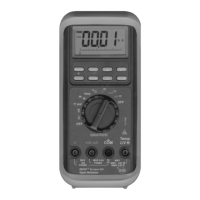
The Multimeter series UNITEST
Hexagon is equipped with a
NMRR.
Hereby undesirable AC voltage
noise which falsify DC current / DC
voltage measurements are sup-
pressed.
NMRR is normally indicated with
reference to dB. The UNITEST
Hexagon series is specified to >60
dB at 50/60 Hz.
Special Functions


 To Next Page