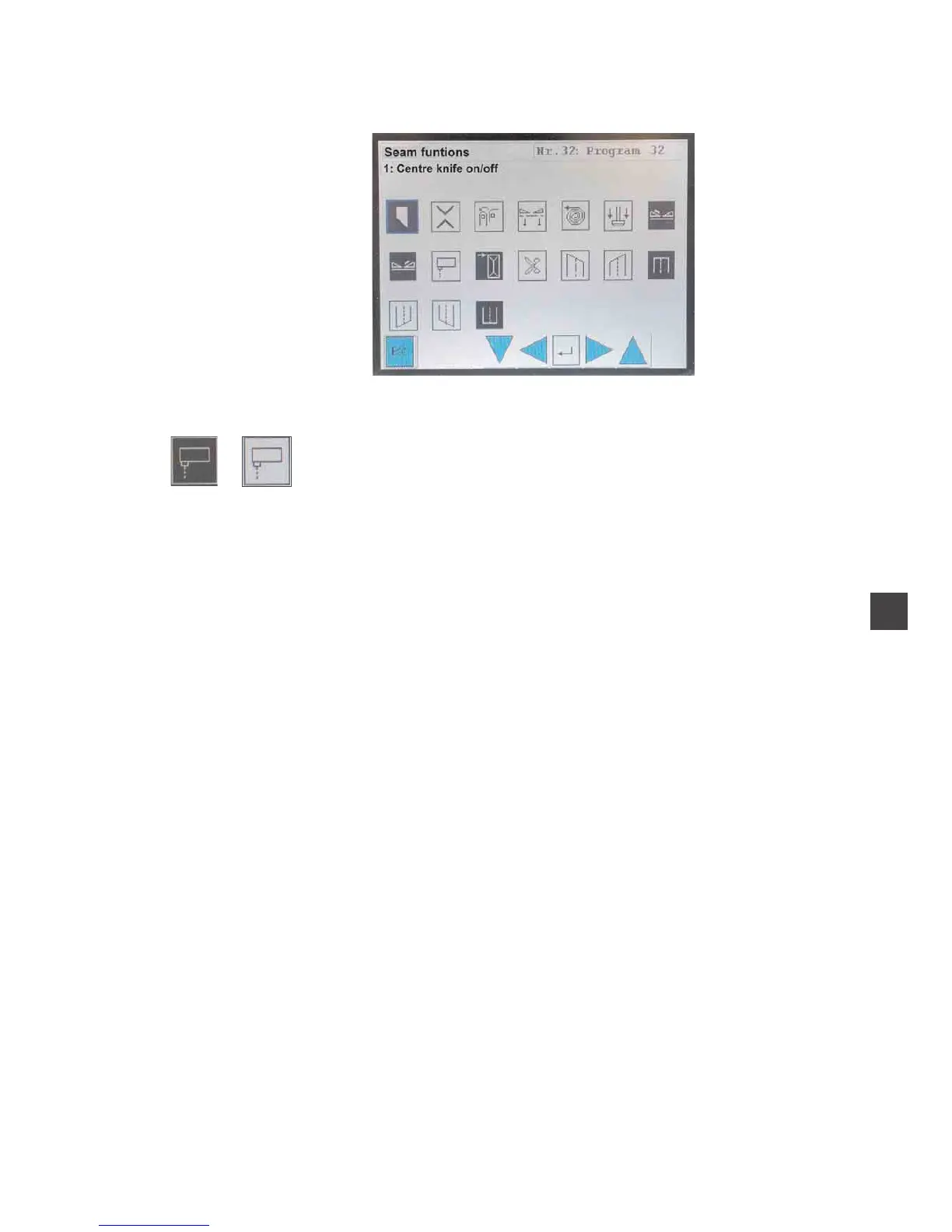
3.2 Switching the seam functions on/ off
The parameter values are altered in the individual parameter screens.
–
Tap the desired parameter.
The symbol of the selected parameter is framed in blue.
–
Tap the desired parameter once again.
The function is switched on/off or a window with the prompt or the
current values appears.
4
7


 To Next Page