Service Manual iFLEX2 with iSCOUT expert compact
52 50 650 69 0101E_REV D (GROVE RT-TM).DOC / Rev. D / 2015-11-20 / JPD
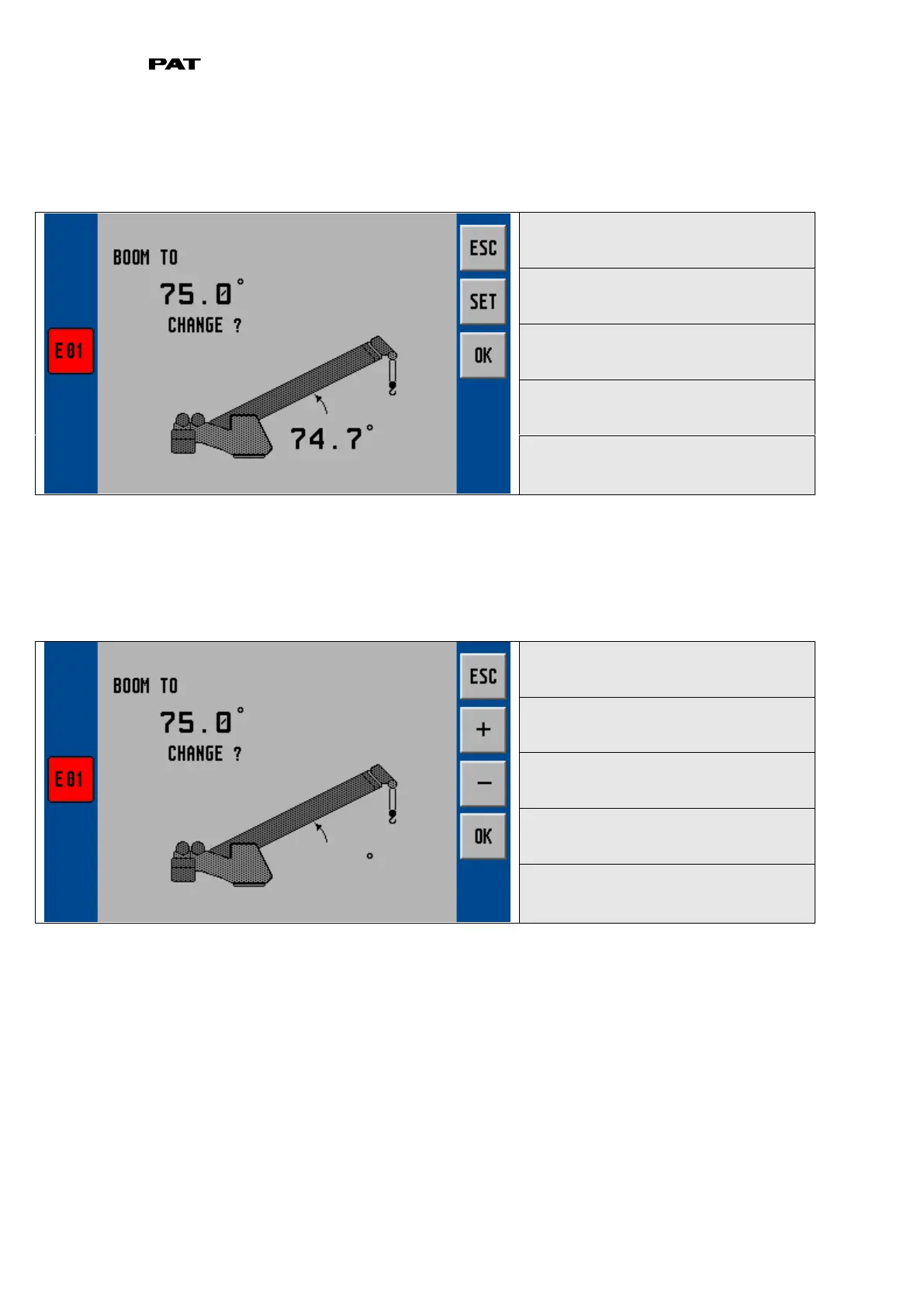
When the boom angle is within the calibration range, the screen will add the
‘CHANGE’,
‘SET’ and
‘OK’ text as shown below:
▼ calibrate angle
cancel and return to LMI screen
set current angle to defined angle
Measure the boom angle with the inclinometer and when the boom is positioned in the calibration
range, compare the measured angle to the displayed angle.
If the indicated angle is within +/- 0.1 degrees of the measured angle, confirm with ‘OK’.
Otherwise, select ‘SET’ to adjust the angle.
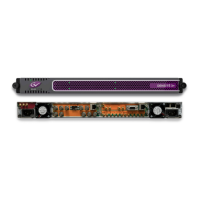
▼ adjust angle
cancel and return to LMI screen
Increase angle value by 0.1°
Decrease angle value by 0.1°
Once you push ‘SET’ , the screen is going to change to the angle adjustment screen. Use the ‘+’
and ‘-‘ buttons to adjust the indicated angle to match the measured angle.
When the display shows the correct angle, press ‘OK’.
Press ESC to leave sensor adjustments and return to normal LMI screen.



 To Next Page