Setting the programmer
Fully Automatic Cooking (example)
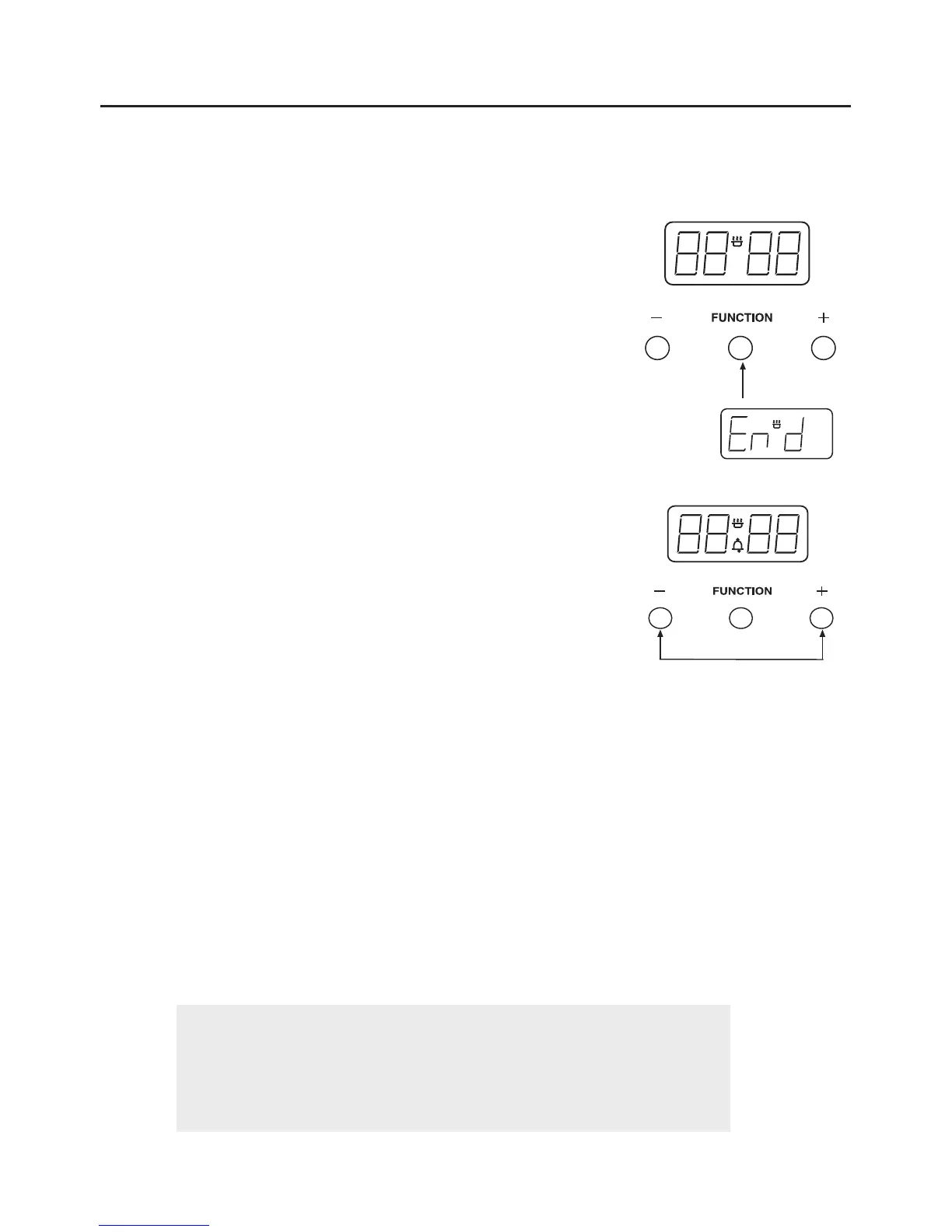
u Press the function button three times to select an end
time.
u The ‘End’ message will be displayed.
u Using the Up / Plus and Down / Minus buttons, set the
time you would like the oven to switch off.
u Set the temperature of the oven and place the food inside.
While the automatic function is running, the ‘A’ will appear statically on the display,
with the time.
Try to keep the end time as close to when you expect to return, this will prevent
cooked food from being left standing in a warm oven.
The timer will calculate the appropriate start time.
Important: Once the oven has switched itself off please make
sure you turn to oven controls to the ‘off’ position and set the
oven to manual by pressing the Cook Time and Ready Time
buttons together.


 To Next Page