EasyManua.ls Logo

Bellini SUPERCOOK - First-Time Control Module Setup; Settings - Date and Time

Bellini SUPERCOOK
20 pages
Print Icon
To Next Page IconTo Next Page
To Previous Page IconTo Previous Page
Loading...
11
AUST
DE
NL
RUS
ES
AR
HE
IT
PT
FR
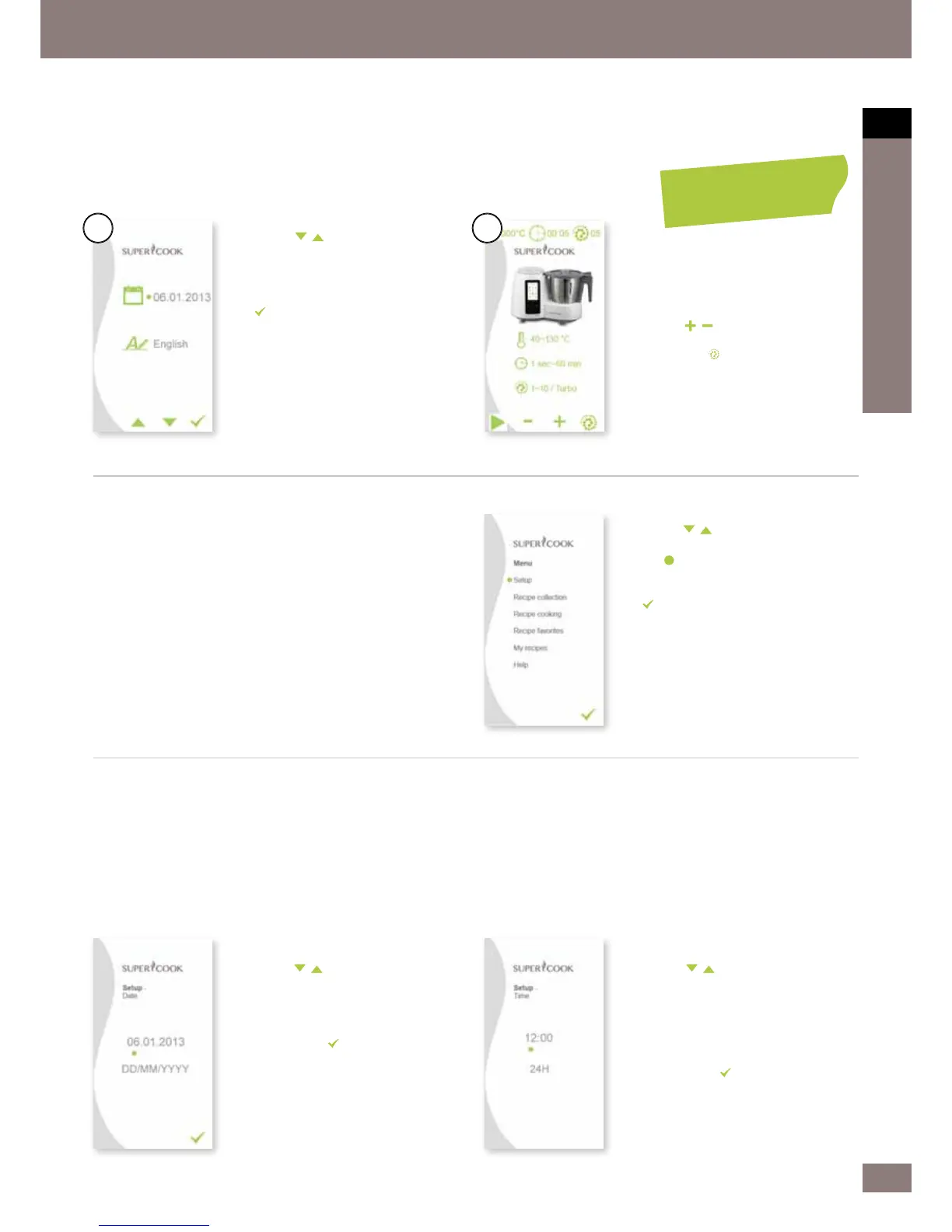
Time

1.
In the Se
tup menu, you can navigate
with the
buttons and select
buttons and select
Time.




selection. Use the left rotary knob to
switch between hours and minutes. At
the same time, you can set the time
format as either 12 or 24 hours.
3.
Then press the

Switching the control module on for the rst time


Menu structure
Press the MENU button to enter the main menu.
1.
Use the
buttons to switch
buttons to switch
between calendar and language and
use the left and right rotary knob to





button.
1.
Use the
buttons to navigate
buttons to navigate
through the menu.
2.
The
dot indicates the current
position.




button.
4.
If necessar
y, close the menu by
pressing the MENU button.
3.
Press or turn an
y control button apart
from the MENU button. This takes
4.
Use the lef
t rotary knob to set the
temperature you want.




speed.
6.
Use the

time manually.
7.
Pressing the
button increases the
speed for a short time (Turbo).
Settings

Date

1.
In the Se
tup menu, you can navigate
with the
buttons and select
buttons and select
Date.




selection. Use the left rotary knob to
switch between year, month and day.

3.
Then press the

1.
2.
MANUAL


Related product manuals