EasyManua.ls Logo

Bellini SUPERCOOK - Recipe Cooking; Starting a Recipe Cooking Process

Bellini SUPERCOOK
20 pages
Print Icon
To Next Page IconTo Next Page
To Previous Page IconTo Previous Page
Loading...
15
AUST
DE
NL
RUS
ES
AR
HE
IT
PT
FR
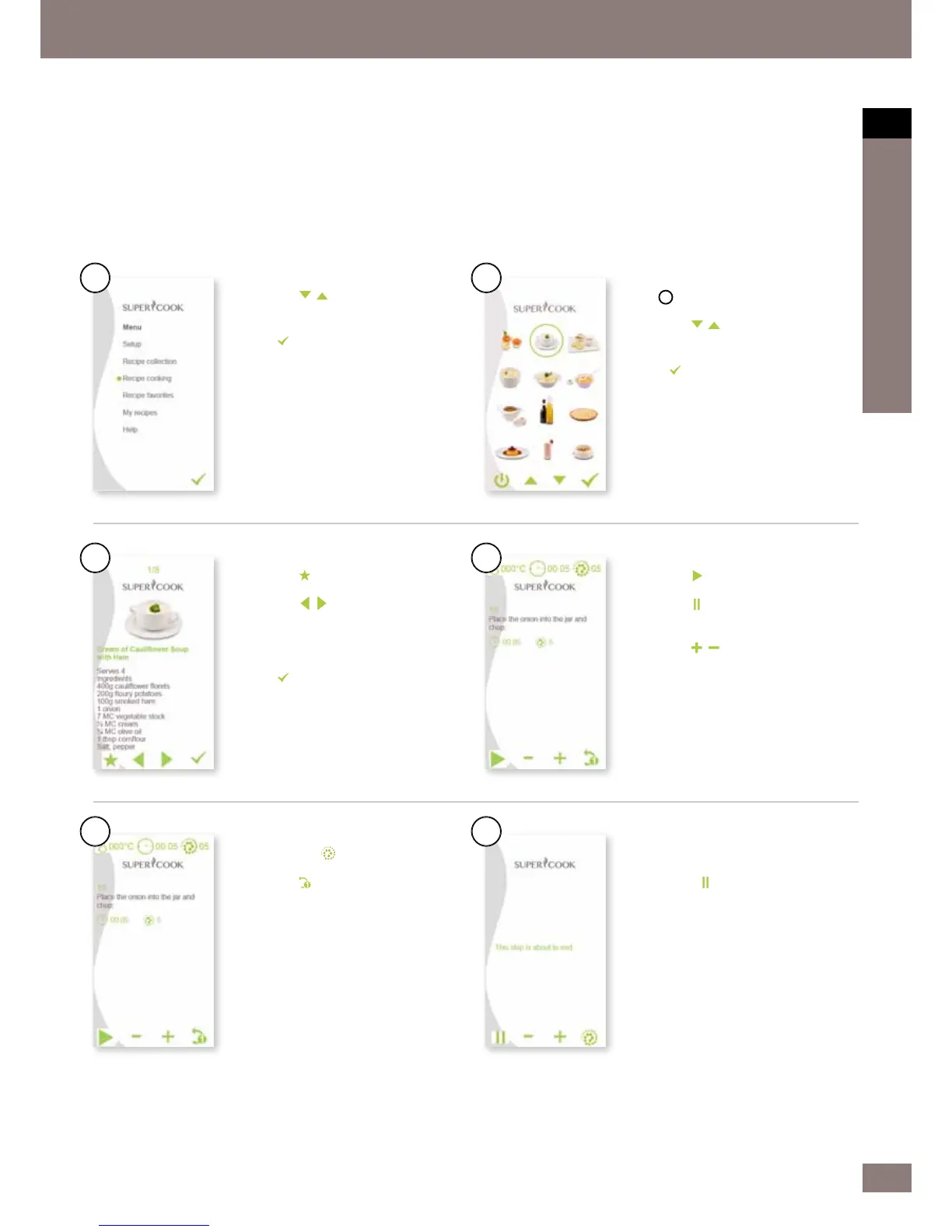
Recipe cooking
In this menu, you can begin working with the kitchen machine. You can
either follow the pre-set processing times, speeds and temperatures or


1.
Use the
buttons to navigate to
the Recipe cooking menu option.




the
button.
6.
Use the
button to add this recipe
to your favorites selection.
7.
Use the
buttons to navigate
within the category selected and
browse the different recipes.





the
button.
14.
Pressing the
button increases the
speed for a short time (Turbo).
15.
Use the
button to go back one
step providing the cooking process is
not yet active.
3.
A
circle indicates the current
category.
4.
Use the
buttons to navigate
and select the recipe you want.




the
button.
9.
Use the
button to start the
process with the default settings.
10.
Use the
button to pause the
current setting. (Appears once the
process has started. See step 9).
11.
Use the

preset time manually.




preset temperature manually.




the preset speed manually.
16.
This reminder a
ppears after 80 % of
the pre-programmed processing time.
17.
Press the
button to end the step
and add ingredients. The heating
automatically switches off at the end
of the step. The motor continues,
depending on how long the cooking

process is.
1.
3.
5.
2.
4.
6.

Related product manuals