30
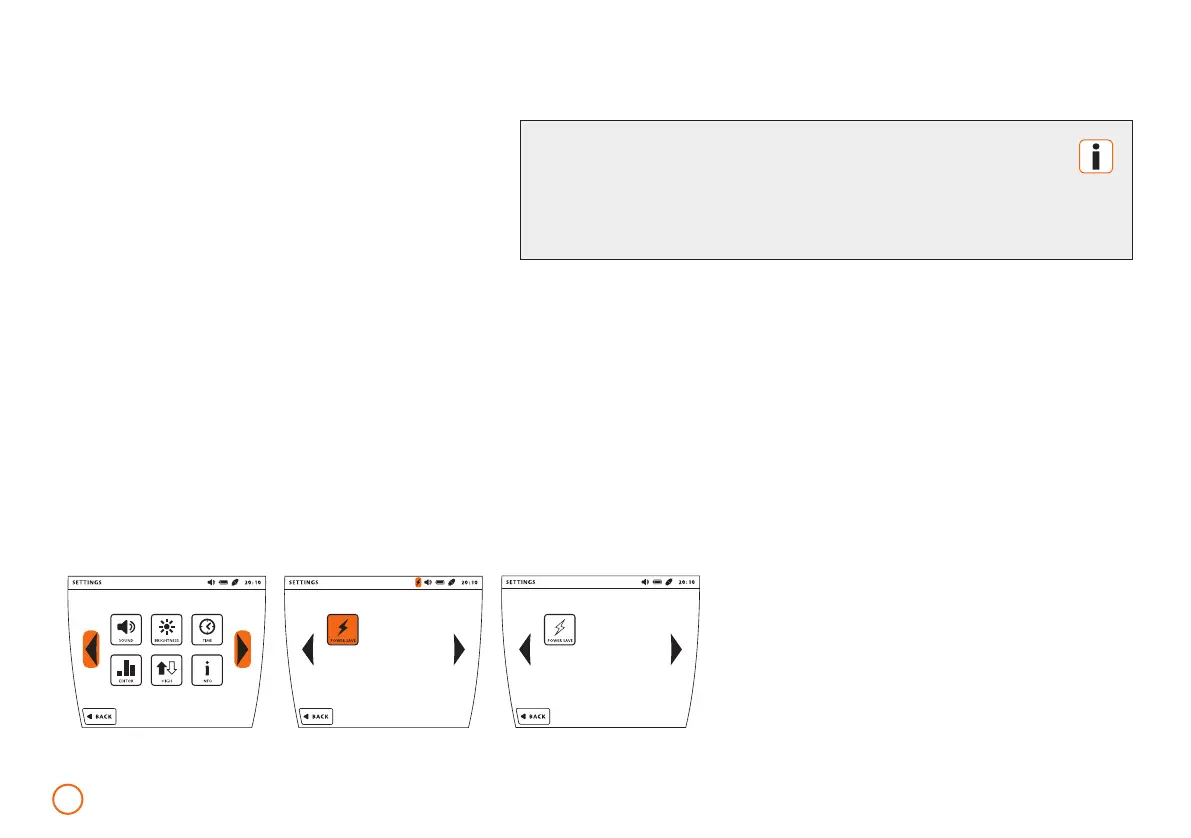
Activate/deactivate Power Save mode
(default activated)
•
Press the [SET] button.
•
Scroll through by using the arrow keys.
•
Activate/deactivate the Power Save mode
by pressing the [POWER SAVE] button.
Example: Setting the Power Save mode
The Power Save mode influences the stand-by characteristics
of your machine. If it is deactivated, the machine turns itself off
after approx. one hour of inactivity (switch-off time 2 minutes).
Attention: this also applies when battery operated.
1960-2002-BEDIENANL-B.BOX-USA-FDA-2020-US-en-v13-Akku Rev20_4.indd 301960-2002-BEDIENANL-B.BOX-USA-FDA-2020-US-en-v13-Akku Rev20_4.indd 30 04.11.2020 08:47:3004.11.2020 08:47:30



 To Next Page