115
DEUTSCHENGLISH
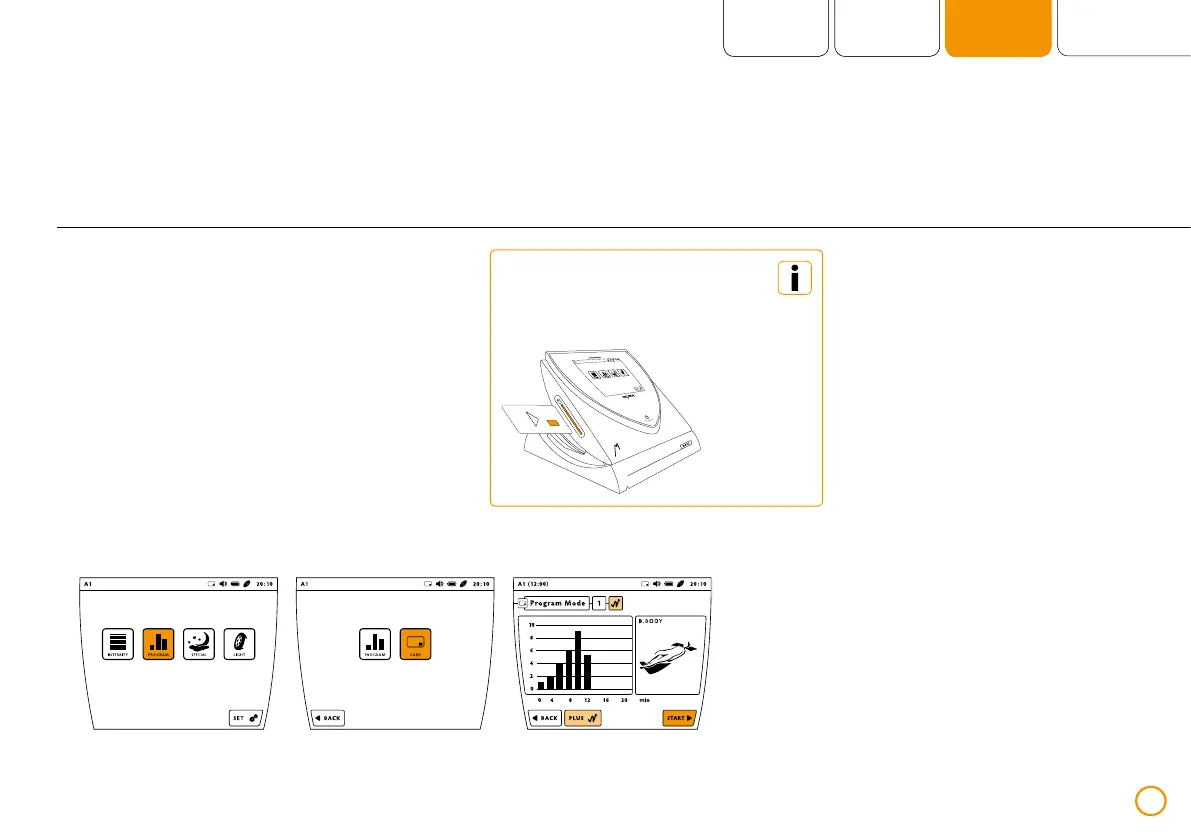
Application using the memory card
>> Slide the memory card into the card slot.
>> Press the button [PROGRAM].
>> Press the button [CARD].
>> Start the program with [START].
Example – application using a memory card (using the application module B.BODY via port A1)
The selection [CARD] is
available only when a
memory card is inserted.


 To Next Page