116
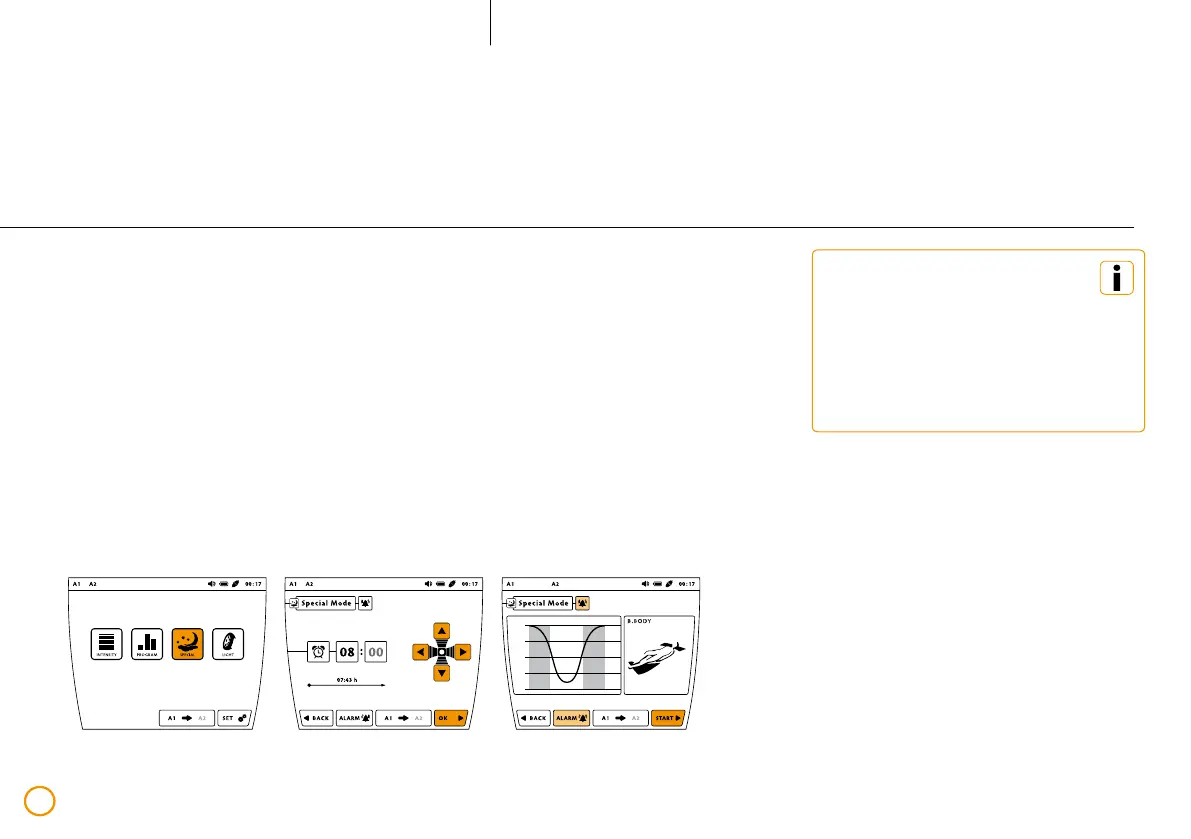
Special application – Sleep Program
>> Press the button [SPECIAL].
>> Using the arrow keys, set the desired time
for the program’s end (wake up time).
>> Now activate the alarm signal if desired,
by pressing the [ALARM] button.
>> Confirm your selection by pressing
the [OK] button.
>> Now start the Sleep Program
with [START].
Example – Sleep Program (2 application modules connected, the program runs via port A1 using the application module B.BODY)
(07:43:00)
Please take into consideration that
the Sleep Program requires a sleeping
period of at least 6 hours and not
longer than 10 hours, as it supports
the regenerative processes that occur
during the core sleeping phase.
: : .



 To Next Page