14
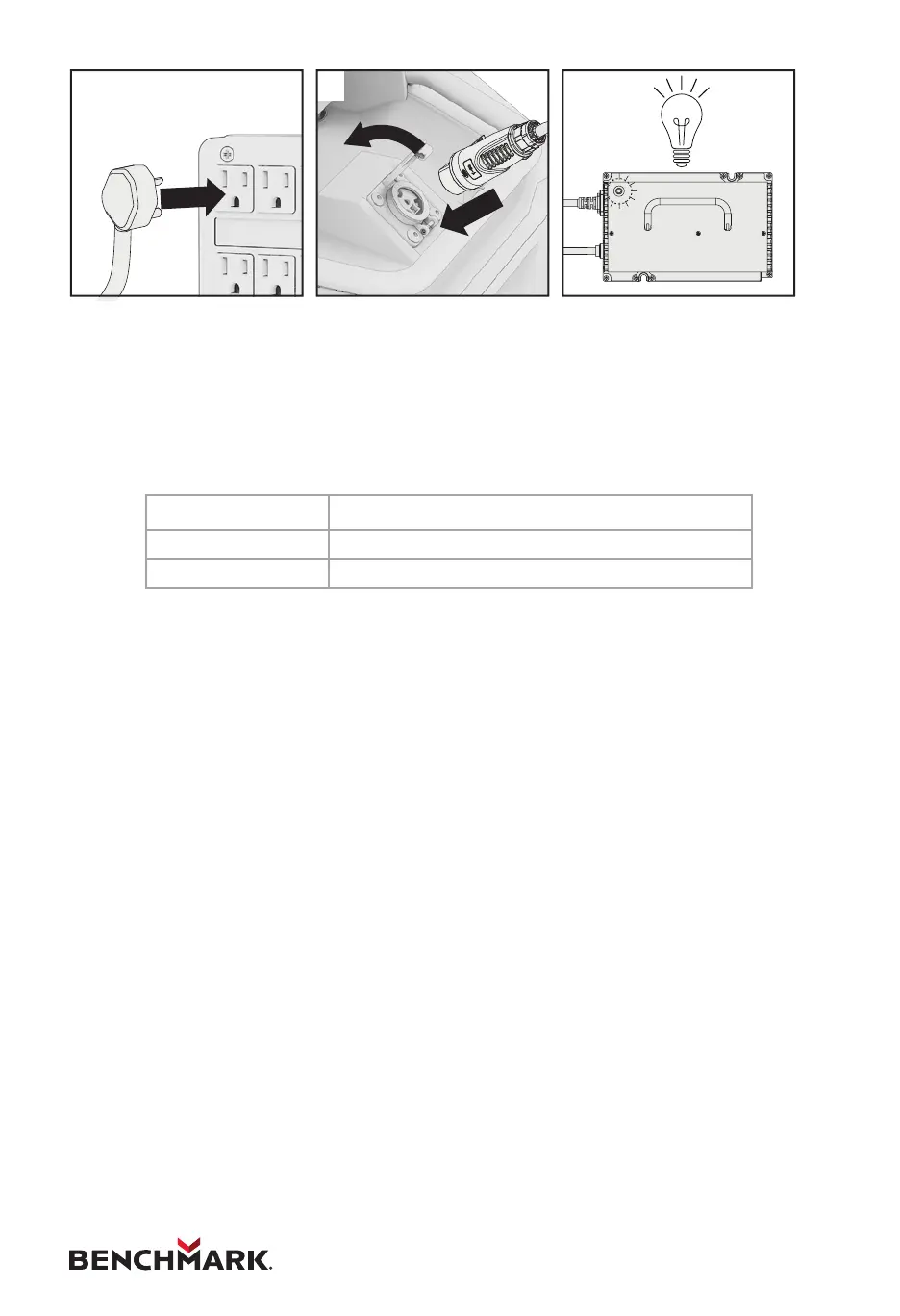
1. First connect the wire between the power supply and the charger. If
equipped with a lter, connect the lter between the power supply and the
charger.
2. Connect the charger to the mower.
3. See the chart below to determine the meaning of the light colours.
4. When you are ready to mow, disconnect the charger from the power supply,
then disconnect the charger from the mower.
Light Description
Red Battery charging.
Green Battery charge complete.


 To Next Page