Instruction Manual for DAC3 HGC and DAC3 L with 2.X Firmware Page 12
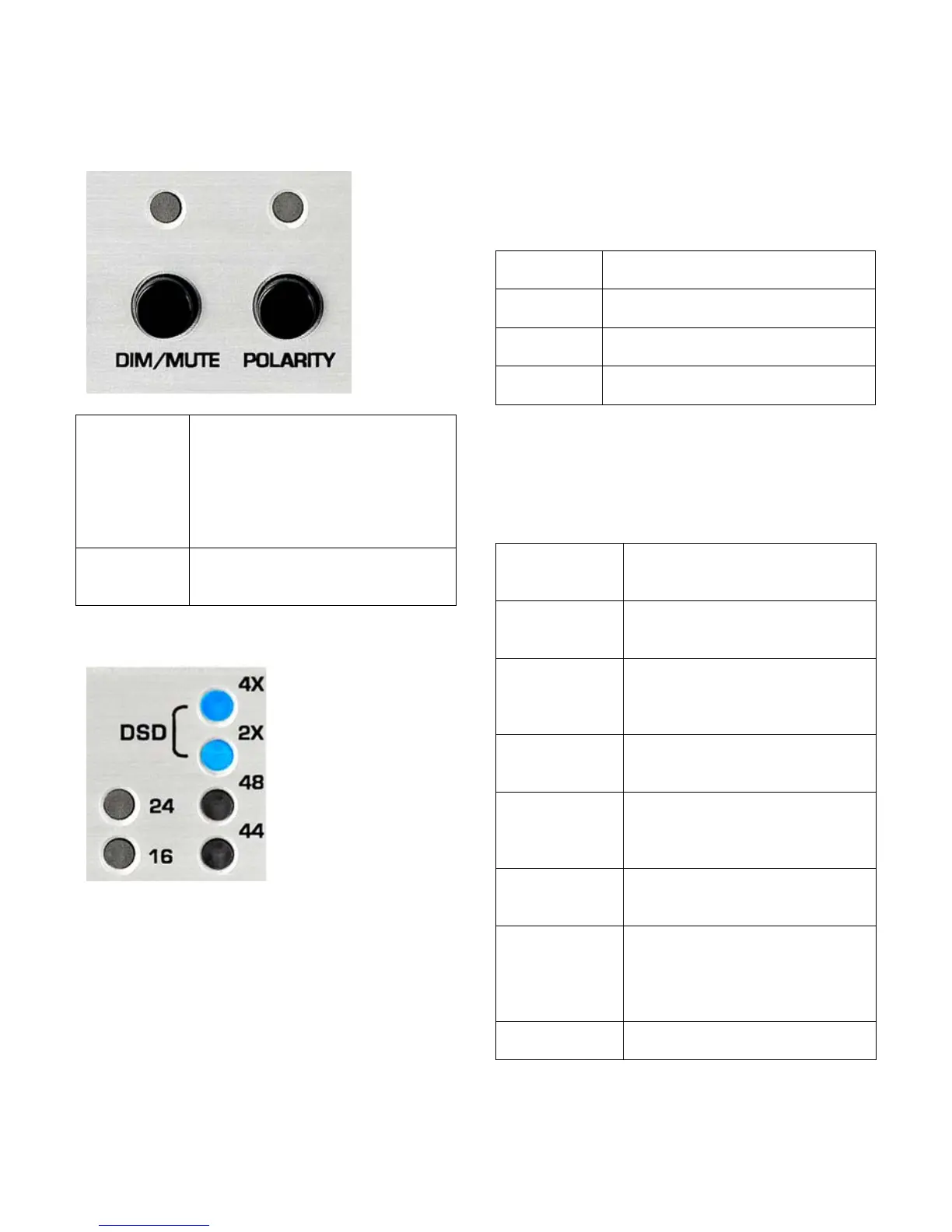
DIM, MUTE, and POLARITY Indicators
A solid red light indicates that
the unit is in DIM mode. A
slow flashing red light indicates
that the unit is in MUTE mode.
A rapidly flashing red light
indicates that the remote
control is sending commands.
Yellow light indicates that the
POLARITY inversion function
Digital Format Indicators
Two lights indicate
the measured word
length of the
selected digital
input.
Four lights indicate
the sample rate and
format of the
selected digital
input.
Tip: Computers, disk players, and streaming
devices often subject the digital signal to
sample rate conversion, changes in word
length, PCM to DSD conversions, and other
forms of digital processing that may degrade
the quality of the audio. This display makes it
easy to detect these processes.
Word Length Indicators
The 16 and 24 lights indicate the measured
word length of the selected digital input. The
DAC3 detects active data bits and displays
the results as follows:
Measured input word length is
16 bits.
Measured input word length is
17 to 23 bits.
Measured input word length is
24 bits.
Measured input word length is
less than 16 bits.
Format indicators
The 44, 48, 2X, 4X, and DSD lights indicate
the sample rate and format of the selected
digital input as follows:
The input format is PCM at a
sample rate of 44.1 kHz (CD
The input format is PCM at a
sample rate of 48 kHz (often
The input format is PCM at a
sample rate of 88.2 kHz
(high-resolution audio
The input format is PCM at a
sample rate of 96 kHz (high-
resolution audio format).
The input format is PCM at a
sample rate of 176.4 kHz
(high-resolution audio
The input format is PCM at a
sample rate of 192 kHz (high-
resolution audio format).
(4x and 2X)
The input format is 1-bit DSD
at a sample rate of 2.8224
MHz (high-resolution audio
format). Note: DSD must be
Digital signal is not present or
is not in a supported format.



 To Next Page