Instruction Manual for DAC3 HGC and DAC3 L with 2.X Firmware Page 22
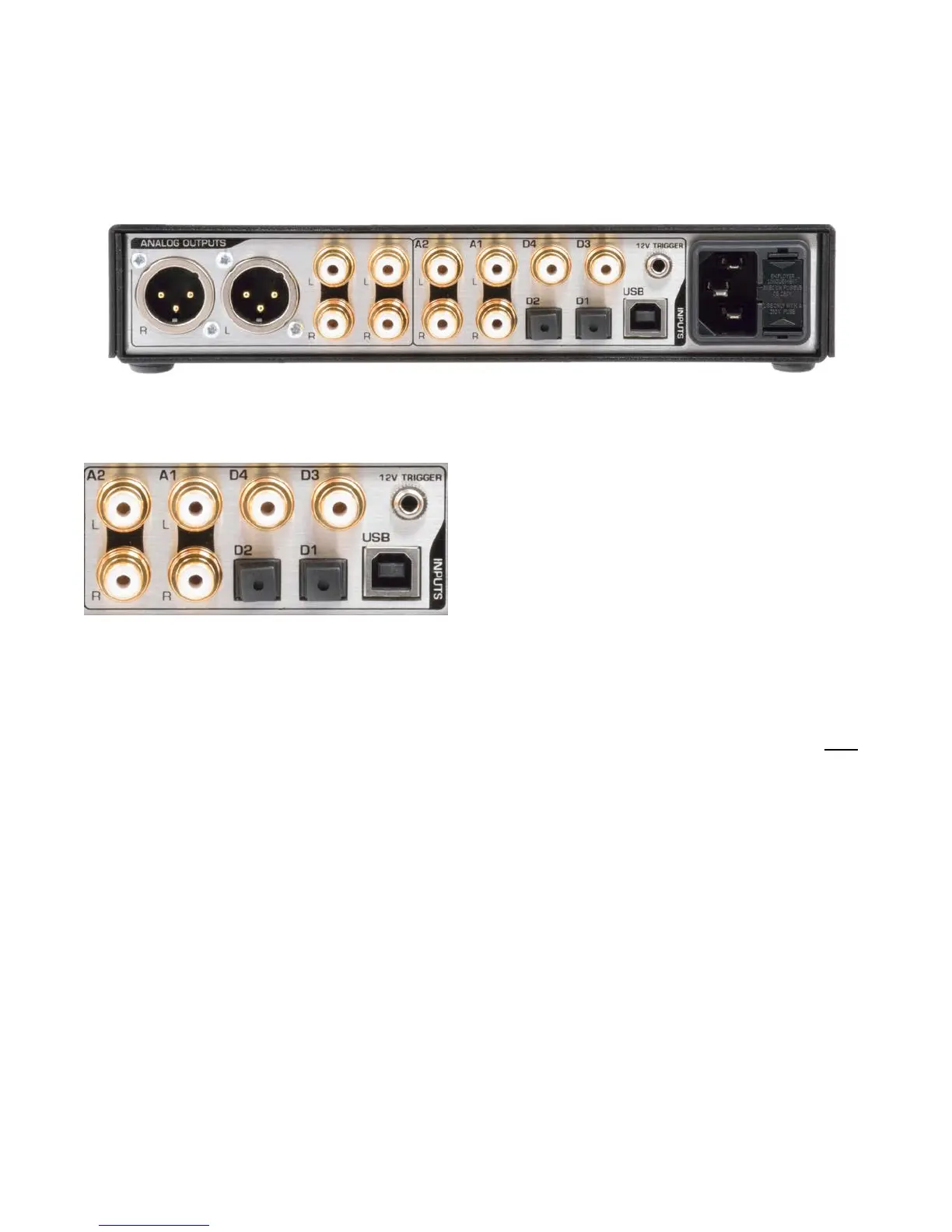
Rear Panel
DAC3 HGC and DAC3 L
Inputs
There are seven stereo inputs on the DAC3:
• A1 - RCA L & R Analog Inputs
• A2 - RCA L & R Analog Inputs
• USB - USB Audio 1.1 or 2.0 Input
• D1 - Optical Digital Input
• D2 - Optical Digital Input
• D3 - Coaxial Digital Input
• D4 - Coaxial Digital Input or Output*
These inputs are selected using the INPUT
buttons on the front-panel or on the remote-
control.
* D4 can be jumper-configured as a digital
PASS-THROUGH output. When enabled, the
selected digital input will be routed to the
internal D/A converter and to output D4. The
selected input will be buffered and sent to
output D4 even if the format cannot be
decoded by the DAC3.
The digital inputs support PCM stereo
AES/EBU and SPDIF digital formats. Maximum
word length is 24-bits. Maximum sample rate
is 192kHz.
The digital inputs also support DSD stereo at
a sample rate of 2.8224 MHz using DoP 1.1
encapsulation.
The USB input has two operating modes:
• USB Audio 1.1 - PCM up to 24-bits at
96 kHz
• USB Audio 2.0 - PCM up to 24-bits at
192 kHz and DSD (DoP 1.1 format)
Caution: The optical inputs (D1 and D2) are
not recommended for DSD or for sample
rates above 96 kHz. Optical connections may
be unreliable at sample rates above 96 kHz.
Tip: The DAC3 will not decode multichannel
digital formats such as AC3, and Dolby
Digital. The audio will mute and the INPUT
INDICATORS will flash whenever an
incompatible format is connected to the
selected digital input. If the PASS-THROUGH
mode is enabled, these multichannel formats
can be sent to a surround processor using
connector D4 as a digital output.
Caution: The 12V TRIGGER I/O is not an
audio connection! This is a 12V DC connection
for synchronizing the on and off sequencing of
an entire audio system.



 To Next Page