Instruction Manual for DAC3 HGC and DAC3 L with 2.X Firmware Page 9
Quick Start Guide
Audio Inputs
The DAC3 features two stereo RCA analog
inputs and five stereo digital inputs (2
coaxial, 2 optical, and 1 USB). The coaxial
and optical inputs accept professional (AES)
and consumer (S/PDIF) data formats at word
lengths up to 24-bits.
Tip: We recommend using the coaxial or USB
inputs for sample rates above 96 kHz. Optical
interfaces are not always reliable at sample
rates above 96 kHz.
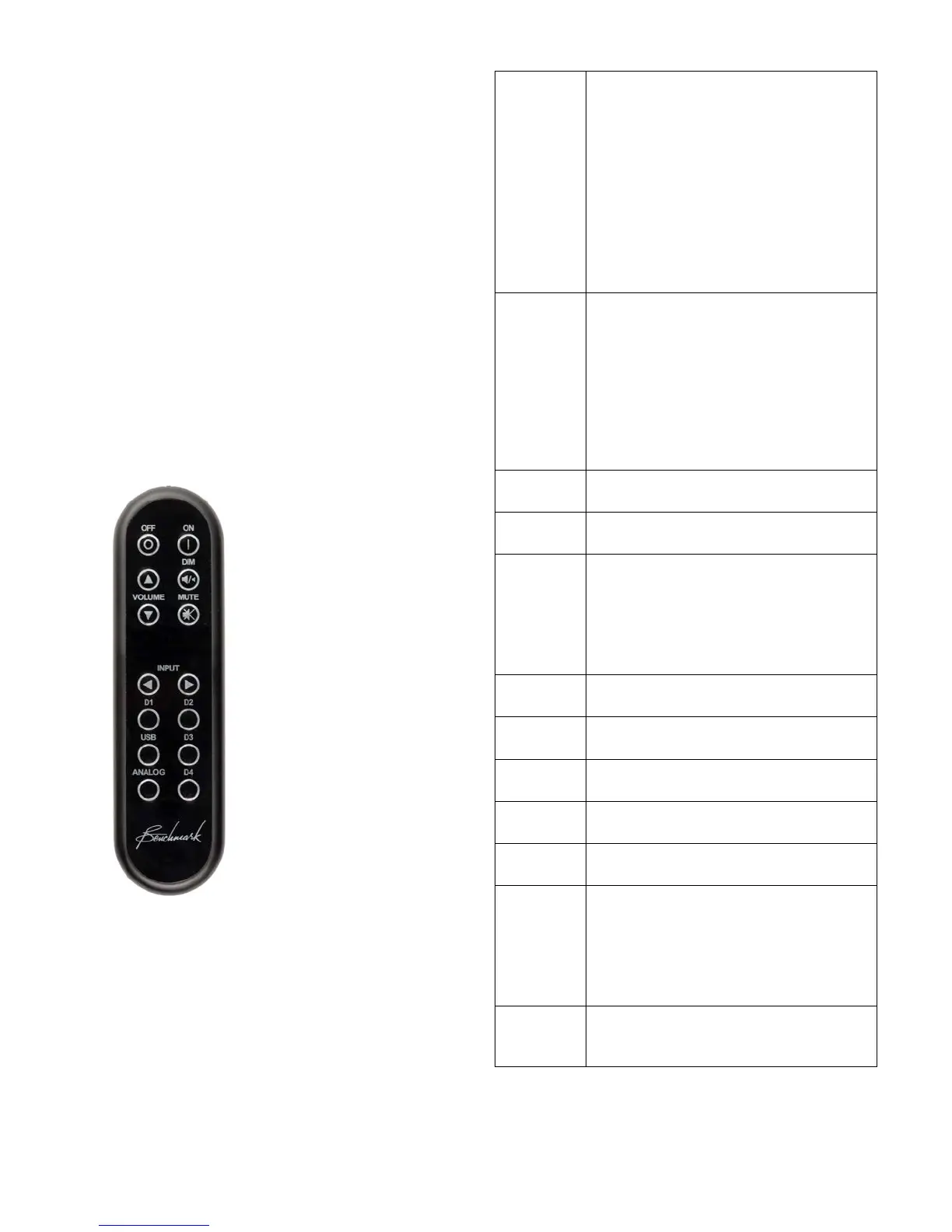
Remote Control
The remote control is designed to have a long
operating range. In most applications it is not
necessary to point the remote directly at the
DAC3.
The chart at the right summarizes the
functions of the IR remote control.
Turns the unit off. Any devices
slaved to the 12V TRIGGER will
also turn off in a controlled
sequence.
Press and hold the OFF button for
3 seconds to force the 12V
TRIGGER off (only necessary
when another device is acting as a
TRIGGER BUS MASTER).
Turns the unit on. Any devices
slaved to the 12V TRIGGER will
also turn on in a controlled
sequence.
Press and hold the ON button for
3 seconds to toggle the
Turns the volume up or down.
Toggles the -20 dB DIM function.
Toggles the MUTE function.
Press and hold the MUTE button
for 3 seconds to toggle the HT
mode on the selected input.
Selects optical digital input D1.
Selects optical digital input D2.
Selects coaxial digital input D3.
Selects coaxial digital input D4.
Press and hold the USB button for
3 seconds to toggle between the
USB 1.1 and USB 2.0 modes.
Selects analog input A1 and then
toggles between A1 and A2.



 To Next Page