7
MRCDB423_D00396_00_M_XXEN/06.2020
MRCDB423
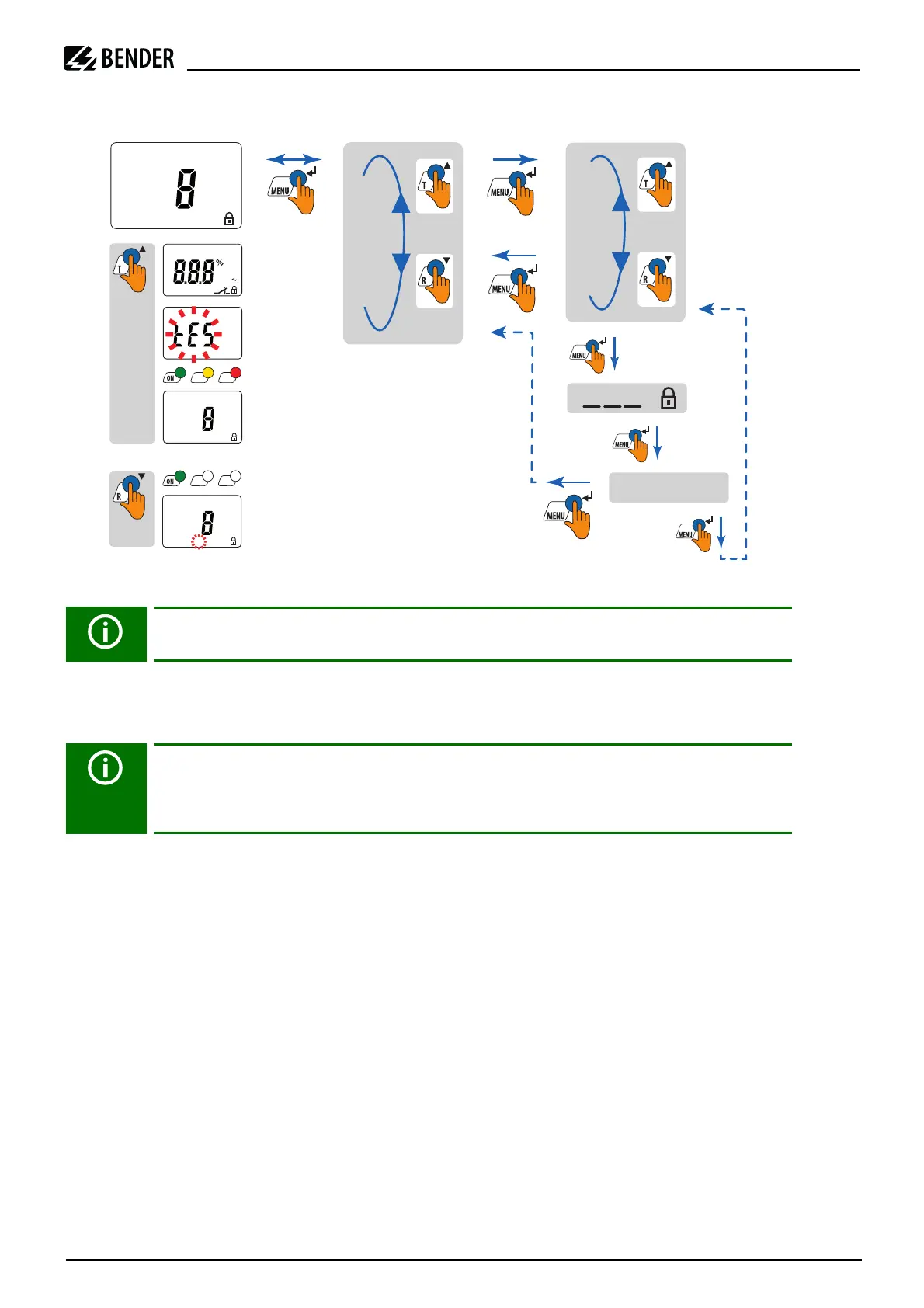
Overview of the menu structure:
Fig. 1: Menu structure (schematically)
5.4 Parameter settings
Example with AL menu (alarm)
By way of example, the modification of the prewarning I1 (Alarm, I
Δn1
) is described. Flashing display elements
are marked with an ellipse on the display diagram.
Proceed as follows:
1. Press and hold the MENU/Enter button long (> 2 s). The flashing short symbol AL appears on the display.
2. Confirm with Enter (briefly). The response value "> I2" flashes; in addition, the associated response value
of 30 mA appears.
3. Press the arrow-down button to select the response value of the alarm I1. The parameter "> I1" flashes; in
addition, the associated percentage alarm value 50 % of I2 appears.
4. Confirm the selection with Enter (briefly) and enter the password. The present alarm value flashes.
5. Use the arrow-up or arrow-down button to set the appropriate alarm value. Confirm with Enter (briefly).
I1 flashes.
6. You can exit the menu by:
– pressing the Enter button for more than 2 seconds to reach the next higher level
– selecting the menu item ESC and confirming with Enter (< 1 s) to reach the next higher level.
Press and hold the MENU button (> 2 s) to go back one menu level.
In principle, a distinction is made in the time during which the MENU/Enter button is
pressed:
briefly : < 1 s
long: > 2 s
2
PIN
P
1
. . .
P
n
ESC
2
Idn
t
SEt
InF
HiS
ESC
2
M
A
m
1x
AL1 AL2
AL1 AL2
M
H
y
s
oont
A
m
k
s
>
>
n
1
2
R
l
.
Test
2
M
A
m








 To Next Page