EasyManua.ls Logo

Bender COMTRAXX MK2430 - User Manual

Bender COMTRAXX MK2430
84 pages
Print Icon
To Next Page IconTo Next Page
Loading...
Manual
EN
COMTRAXX® MK2430
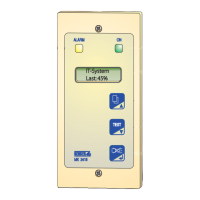
Alarm indicator and test combination
Software version: 4.1x
MK2430_D00129_02_M_XXEN/09.2019

Table of Contents

Other manuals for Bender COMTRAXX MK2430

Questions and Answers

  • A
    Amanda ChambersAug 19, 2025
    How to fix Address ERROR (XXX) on Bender Security System?
    • D
      Daniel DavisAug 19, 2025
      If your Bender Security System displays an 'Address ERROR (XXX)' message, this means the MK2430 address on the internal BMS bus is already in use. To resolve this, change the MK2430 address in the menu.
  • A
    Angela WilliamsAug 21, 2025
    What to do if Bender Security System shows FLASH ERROR?
    • M
      melendezdanielAug 21, 2025
      If you are experiencing a 'FLASH ERROR' with your Bender Security System, it indicates that the assignment chip is defective. You can attempt to replace the memory chip D15 (socketed). If that doesn't work, replace the MK2430*.
  • D
    Dawn RossAug 25, 2025
    Why does my Bender Security System display I2C-BUS ERROR(X)?
    • E
      ericastewartAug 25, 2025
      If your Bender Security System shows an 'I2C-BUS ERROR(X)', it indicates a fault in the I2C bus. First, try switching off the device for 10 minutes, then switch it on again. If the problem persists, replace the MK2430*.
  • C
    Christopher EdwardsAug 26, 2025
    How to resolve DISPLAY ERROR on Bender Security System?
    • D
      Daniel BenjaminAug 26, 2025
      If your Bender Security System displays a 'DISPLAY ERROR', the suggested solution is to replace the MK2430*.
  • M
    Mr. Thomas HowardAug 28, 2025
    How to fix Address ERROR (XXX) on Bender COMTRAXX MK2430?
    • L
      Lori StantonAug 28, 2025
      The Address ERROR (XXX) on Bender Measuring Instruments indicates that the address of the MK2430 on the internal BMS bus is already in use. To resolve this, change the MK2430 address in the menu.
  • R
    Rachel SmithAug 30, 2025
    What to do if I get an I2C-BUS ERROR(X) on Bender COMTRAXX MK2430 Measuring Instruments?
    • J
      Joseph AllenAug 30, 2025
      If you encounter an I2C-BUS ERROR(X) on your Bender Measuring Instruments, it indicates a fault in the I2C bus. First, switch off the device for 10 minutes, then switch it on again. If the error persists, replace the MK2430*.
  • S
    Steve BrownSep 1, 2025
    Why am I getting a FLASH ERROR on my Bender COMTRAXX MK2430?
    • J
      Jeffrey HarrisonSep 1, 2025
      A FLASH ERROR on Bender Measuring Instruments suggests that the assignment chip is defective. You can try replacing the memory chip D15 (socketed) or replace the MK2430*.
  • S
    Savannah ChandlerSep 3, 2025
    How to resolve DISPLAY ERROR on Bender COMTRAXX MK2430?
    • X
      Xavier RussellSep 3, 2025
      To resolve a DISPLAY ERROR on Bender Measuring Instruments, replace the MK2430*.
  • A
    Ashley FreemanSep 5, 2025
    What causes RTC ERROR on Bender COMTRAXX MK2430?
    • B
      Brian WiseSep 5, 2025
      The RTC ERROR on Bender Measuring Instruments is caused by a defective clock chip. To fix this, replace the MK2430*.
  • B
    brad15Sep 7, 2025
    What to do if I see Overflow ERROR (07) on Bender COMTRAXX MK2430 Measuring Instruments?
    • A
      Alison LevySep 7, 2025
      An Overflow ERROR (07) on Bender Measuring Instruments means there are more than 99 text messages. Reduce the number of messages to resolve this.

Summary

Important Information

How to Use This Manual

Guide on how to navigate and understand the manual's structure and symbols.

Safety Instructions

General Safety Instructions

General safety regulations and precautions for using Bender devices.

Work Activities on Electrical Installations

Specifies that only qualified personnel can perform installation and commissioning.

Intended Use

Details the purpose and application of the MK2430 in medical locations and other buildings.

System Description

MEDICS System

Description of the MK2430 as a component of the MEDICS® system for medical locations.

Characteristics

Overview of the MK2430's features, display, LEDs, and acoustic signals.

Function

Details the features of the MK2430, including display, text, bus technology, and alarms.

Versions

Information on different MK2430 variants, interfaces, and their specific features.

Installation and Connection

Safety Instructions

Safety precautions, especially regarding electric shock, before installation.

Installing the Device

Guidance on installing the MK2430 in various enclosure types and mounting configurations.

Connecting the Device

Instructions and safety notes for connecting the MK2430 to power and the BMS bus.

Examples for BMS Bus Connection and Addressing

Practical examples illustrating BMS bus connection and address settings for different system configurations.

Commissioning and Testing

Tests Before Switching On

Checklist of pre-operation checks to ensure correct installation and connectivity.

Tests After Switching On

Steps for verifying the device's operation and connectivity after initial power-up.

Parameter Setting

Covers setting device parameters via TMK-SET software or the device menu.

Periodic Verification and Service

Guidelines for routine checks, maintenance, and cleaning to ensure continued operation.

Troubleshooting

MK2430 Error Messages

Lists recognized error messages, their descriptions, and recommended actions.

Malfunctions

Provides a list of common malfunctions, their possible causes, and corrective actions.

Operation

Operator Control and Display Elements

Identifies and explains the function of the device's LEDs, LCD, and physical buttons.

Quick-Start Guide

Provides examples of display states for normal and fault conditions.

Test Function

Details how to use the TEST button to check assigned devices and interpret test results.

Menu Mode: Operation and Setting

Switching On and Calling Up the Main Menu

Describes the initial startup sequence and display information.

Menu Overview Diagram

Visual guide to navigating the device's menu structure and options.

Main Menu Functions

Lists the main menu items and their corresponding functions and page references.

Menu 2: History

Explains how to access and view stored messages, acknowledgements, and timestamps.

Menu 3: *Settings

Details the various configuration options available for the MK2430 device.

Settings Menu 2: Alarm Addresses

Describes how to set bus addresses for devices to display their alarm messages.

Settings Menu 3: Test Addresses

Explains setting bus addresses for devices used in test procedures.

Settings Menu 4: Digital Inputs (MK2430-11 only)

Covers setting the operating behavior and alarm texts for digital inputs.

Settings Menu 5: Buzzer

Details how to set the buzzer sound's frequency and repetition rate.

Settings Menu 6: Common Acknowledgement

Explains how to configure common acknowledgement of alarms across multiple devices.

Settings Menu 7: Clock

Instructions for setting the device's real-time clock, date, and format.

Settings Menu 8: Language

Guide for selecting the operating language for menus and messages.

Settings Menu 9: Interface

Covers setting the device address and baud rate for BMS bus communication.

Settings Menu 10: Relay

Details the operating mode and function for the optional alarm relay.

Settings Menu 11: Password

Instructions on changing the password and enabling/disabling password protection.

Settings Menu 12: Service Menu

Information on accessing service settings and device status, intended for authorized personnel.

Menu 4: Control

Options for controlling individual devices or the entire system, including resetting alarms.

Menu 5: External Devices

How to set and control external devices connected to the BMS bus, including displaying their information.

Menu 6: Info

Displays information about the device type, version, and last assignment transmission.

Overview of Setting Options

A table summarizing where individual parameters can be set.

Technical Data

Technical Data

Comprehensive technical specifications for the MK2430, including electrical data, display, and environmental conditions.

Ordering Details

Information on product types, descriptions, and article numbers for ordering.

Bender COMTRAXX MK2430 Specifications

General IconGeneral
BrandBender
ModelCOMTRAXX MK2430
CategoryMeasuring Instruments
LanguageEnglish

Related product manuals