27
3000 Series Retail Operators Manual 108796 Rev C, 07/05
Menu Code 15 - How to Program Fleet Option
This menu code is used to tell the dispenser to look for a price, or not to look for a fuel price. If it
needs a price (setting of “0”), then a price must be set in mode 4 or downloaded from a console.
Otherwise, the dispenser will not reset or pump fuel.
When mode 15 is set for “1”, the dispenser will operate (reset) without any price being set in
mode 4 or downloaded from a console.
NOTE: This menu code must be programmed as 1 (enabled) for commercial (volume only) dispens-
ers. This allows the dispenser to operate without a price.
Note: This mode must be set to 1 when operating the dispenser with a Pulse Output Board in Me-
chanical interface Mode.
This menu code, when enabled, allows the dispenser to operate as a commercial (volume only)
dispenser.
0 - the fleet option is disabled (this is the default)
1 - the fleet option is enabled
To select a different option in Menu Code 15, follow this procedure:
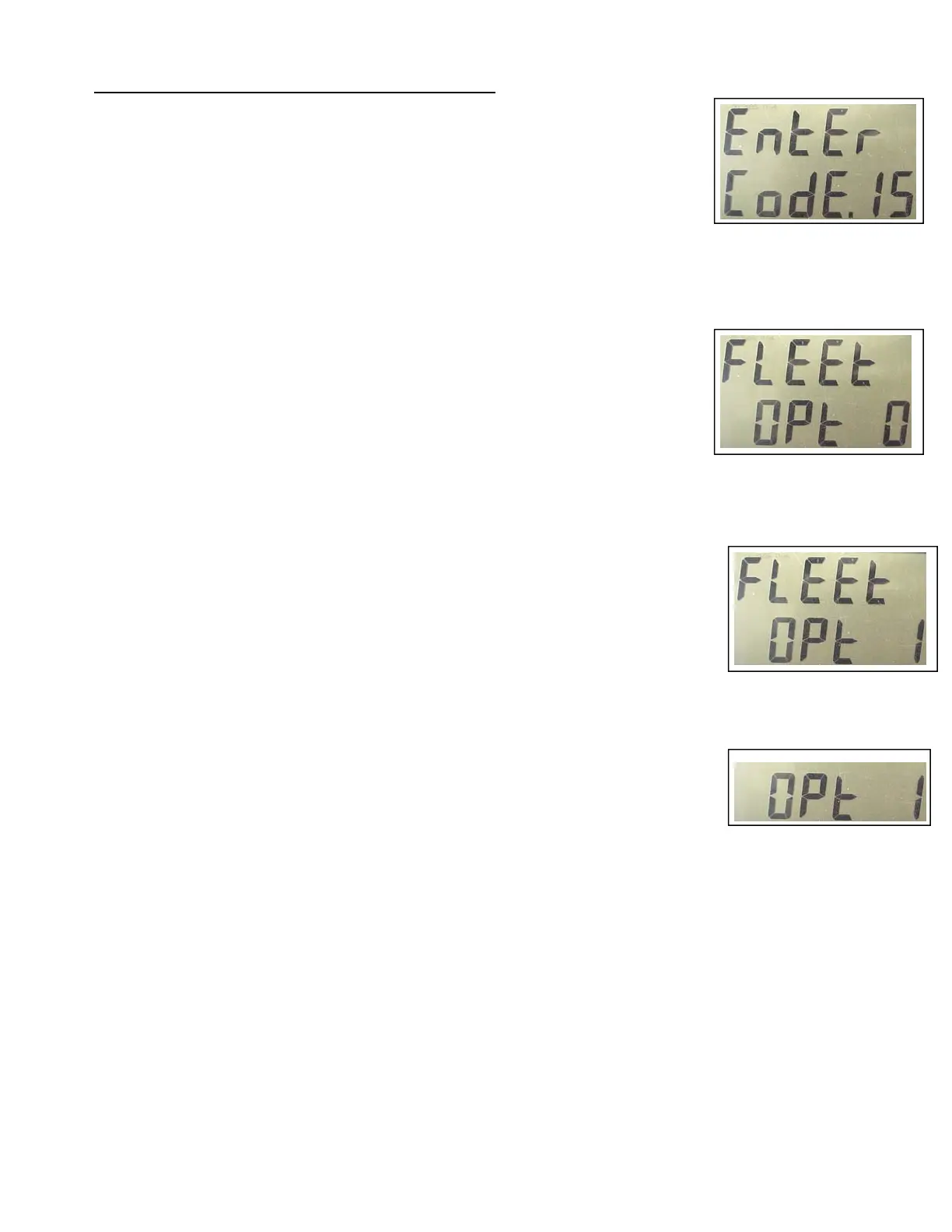
1. After the Manager’s Mode has been accessed, press the number 1 and 5, then the MODE button on the
keypad. See Figure 1. The PPV display shows the dispenser is in Menu Code 15.
If the dispenser has not been programmed since it came from the factory, the number 0 ap-
pears in the main display. See Figure 2. If the dispenser is commercial (volume only) the
menu code will be set to 1 at the factory. See Figure 3.
2. To disable the fleet option, press the 0 button on the keypad to enter.
NOTE: If an error is made, press the correct number. The new number replaces the error.
3. When the correct option number appears in the main display, press the ENTER button to save
the selection.
4. Press the CANCEL button to exit this menu code.
Fig. 1
Fig. 2
Fig. 3
Fig. 4



 To Next Page