Menu operations28
Audio settings (Android)
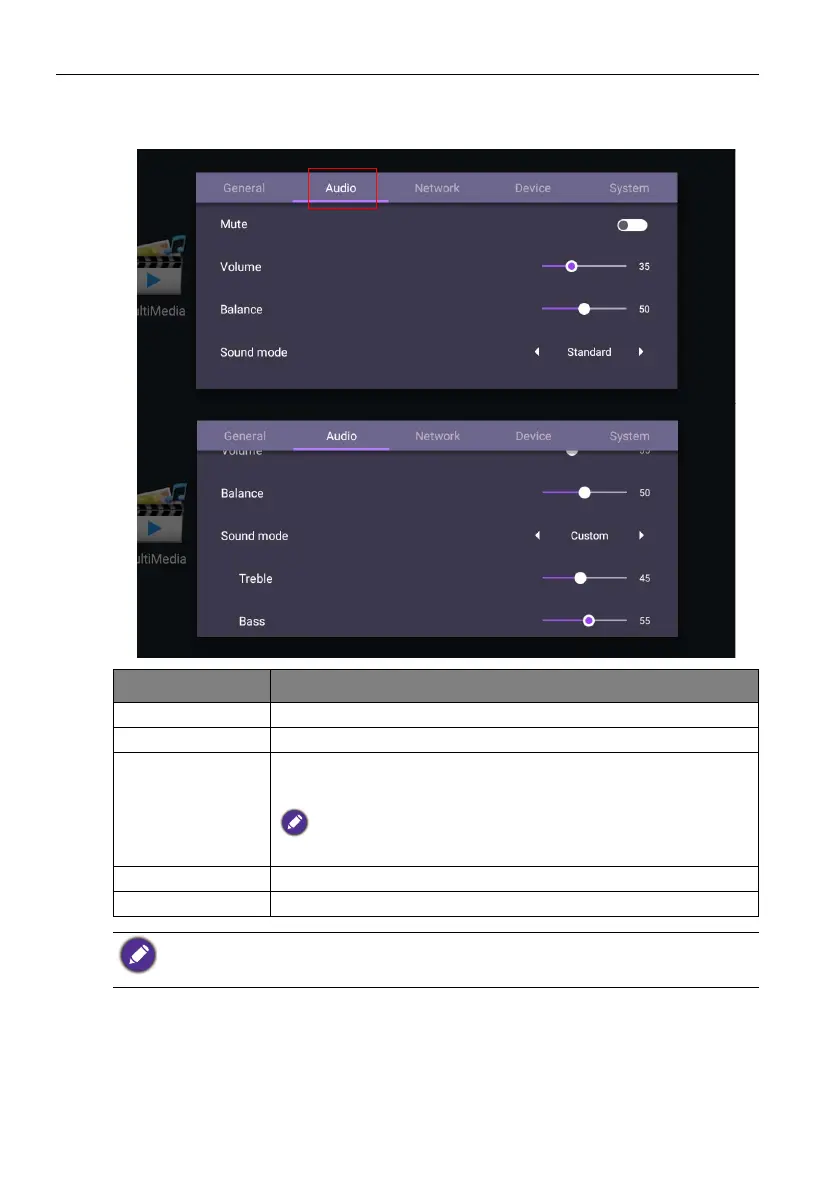
Go to Audio to enter the Audio menu.
Menu Description
Volume Press / on the remote control to adjust the volume.
Balance Press / on the remote control to adjust the balance.
Sound mode Select a preset sound mode. Options are Standard, Class,
Meeting, Movie, or Custom.
The default value of Sound mode is Standard. The detail settings of
Sound mode can be modified only in Custom mode.
Treble Press / on the remote control to adjust the treble.
Bass Press / on the remote control to adjust the bass.
• The default value of Mute is Off. When mute is On, Sound mode and Balance are grayed
out. Adjust the volume to switch Mute to Off.
• Treble and Bass are only displayed in Custom mode.



 To Next Page