Menu operations 33
Startup & Shutdown
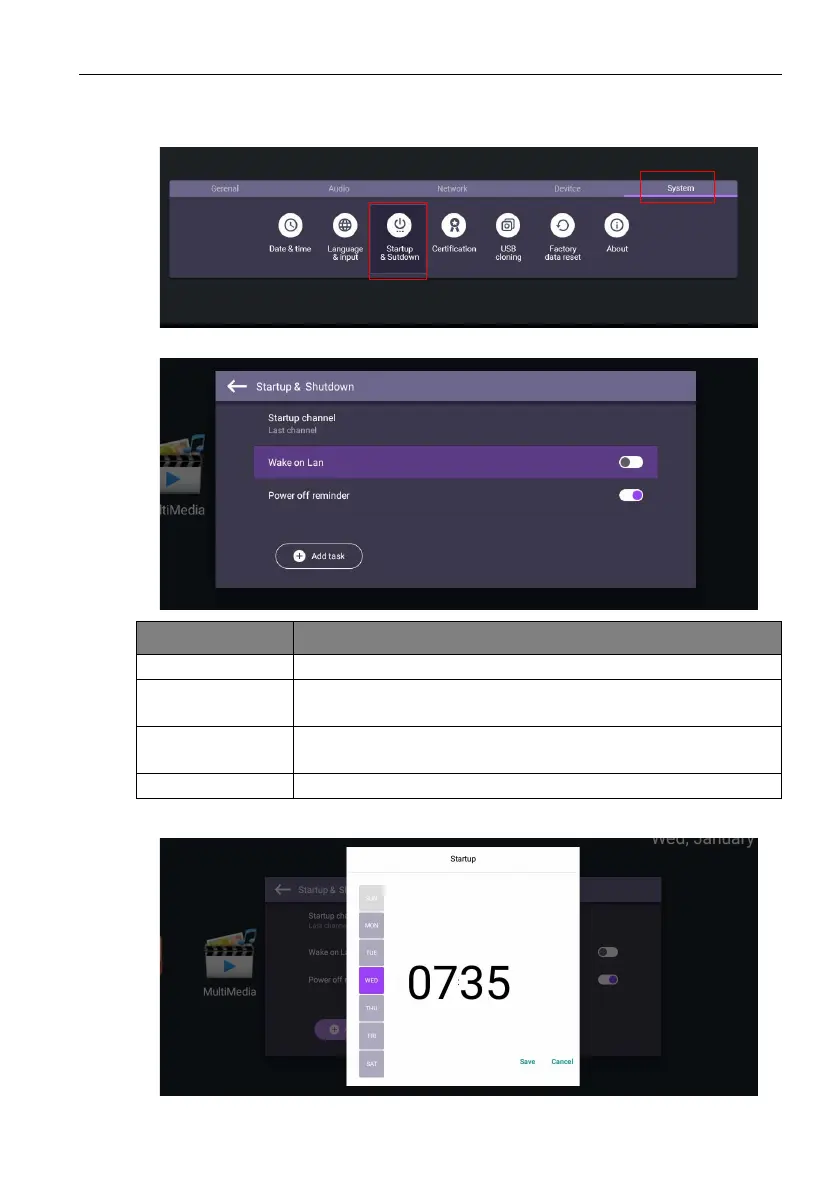
Go to System > Startup & Shutdown.
Schedules can be made by choosing the days of the week.
Options Description
Startup channel Select a startup input after powering on the display.
Wake on Lan This feature allows computer to wake up display via LAN
connection.
Power off
reminder
Choose whether to display an alert message while powering off
the display.
Add task Setup a schedule to startup and shutdown the display periodically.



 To Next Page