Menu operations32
About
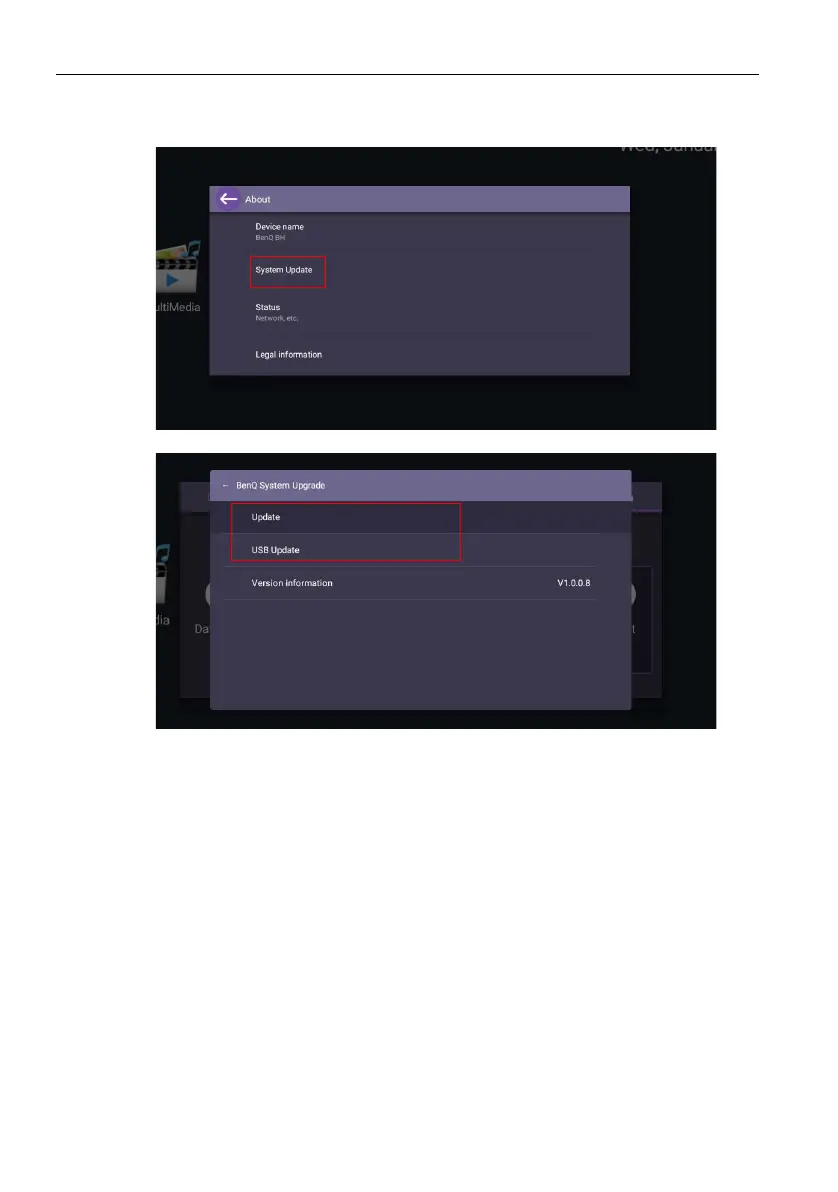
Go to About > System update, then you will see update information.
1. Update:
- The device will search for the update file while connecting to the Internet.
- If the auto update message does not show up, select Update to initiate manually.
2. USB Update:
- Copy the upgrade file to the root of a FAT32 format USB drive. Make sure the file
name is “update_signed.zip”.
- Insert the USB to the display, and the system will prompt a message for update
confirm. If the message does not show up, select USB Update to start update
detection.
- Select Start Update to initiate upgrade process.



 To Next Page