Menu operations 31
System settings (Android)
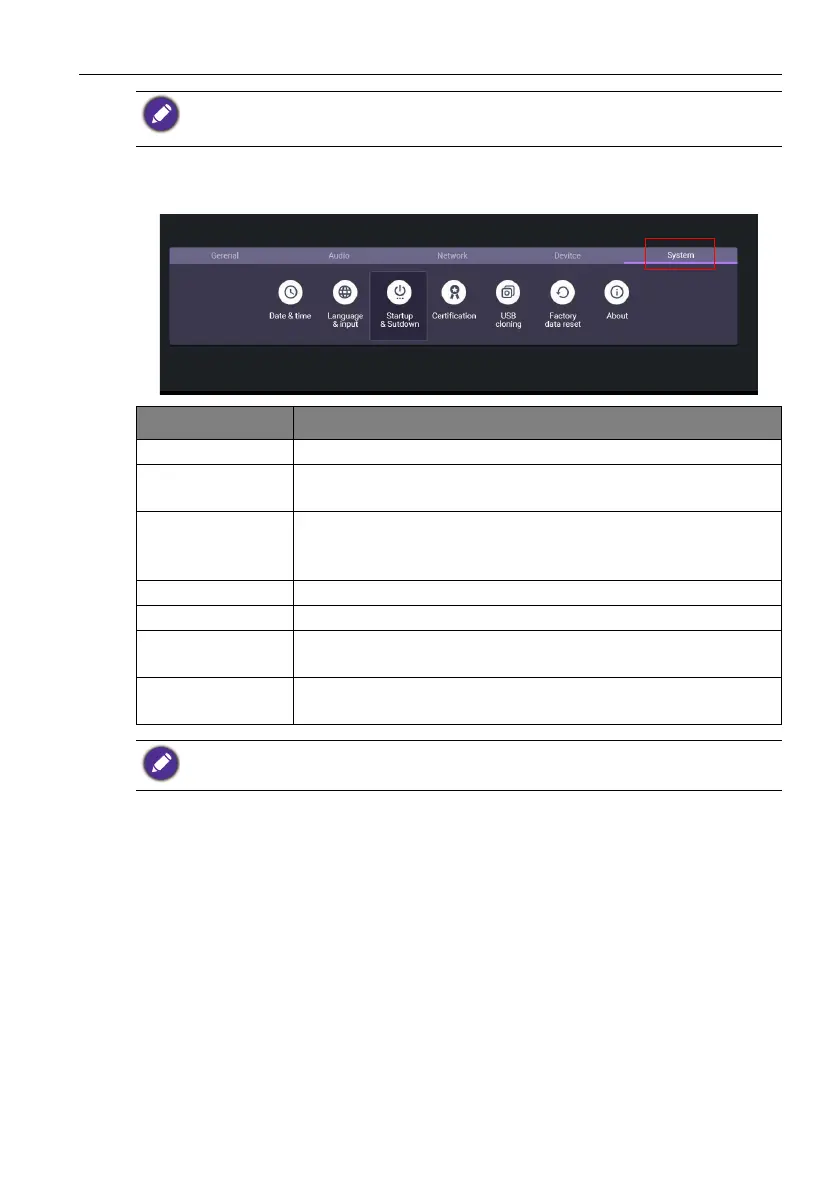
Go to System to enter the System menu.
• The Key lock and IR lock functions cannot be enabled at the same time.
• For image retention, please see Notes on the LCD panel of this display on page 2 for more
information.
Options Description
Date & time Click to set date, time, and their formats in Android.
Language &
input
Click to set Language and Input in Android.
Startup &
Shutdown
Click to set Startup channel, Wake on Lan, Power off
reminder, and Add task. Refer to Startup & Shutdown on
page 33 for more information.
Certification Click to check the acquired certification.
USB cloning Click to export/import the setting.
Factory data
reset
Select Factory data reset to erase all data from the display.
About Click to view software version and get System Update. Refer
to About on page 32 for more information.
The amount of available storage space for the user varies according to the amount of pre-installed
apps and images occupying the total storage space.



 To Next Page