44 Operating the camera
English
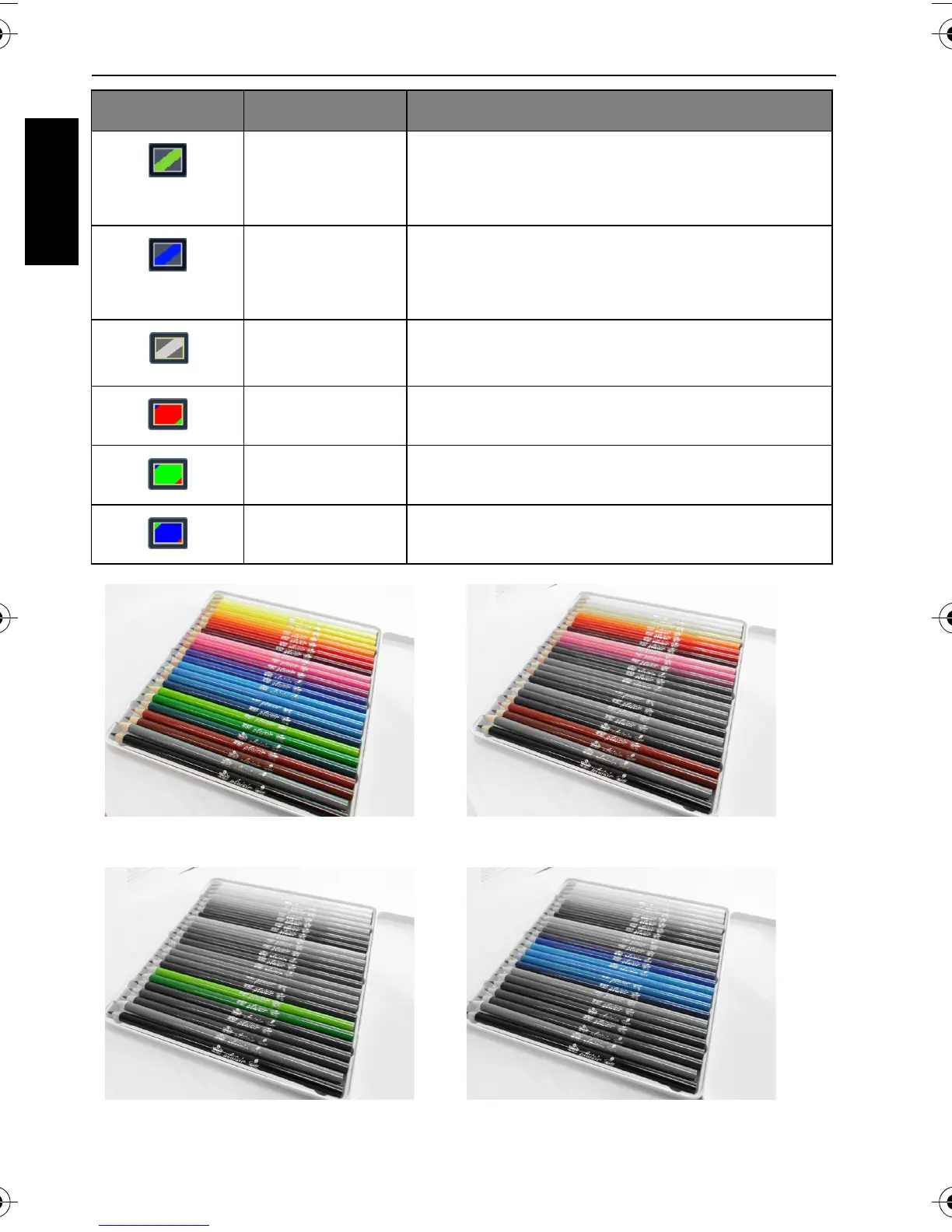
Color Accent
(Green)
Highlights the subjects by keeping the green
color domain of an image only while making
other regions black and white.
Color Accent
(Blue)
Highlights the subjects by keeping the blue
color domain of an image only while making
other regions black and white.
B&W (Black and
White)
Adds an effect with monochromatic color
tones.
Vivid Red The image becomes reddish.
Vivid Green The image becomes greenish.
Vivid Blue The image becomes bluish.
Before
After - when Color Accent (Red) is applied
After - when Color Accent (Green)
is applied
After - when Color Accent (Blue) is
applied
Icon Mode Description
GH600 UM - EN.book Page 44 Friday, October 14, 2011 4:33 PM



 To Next Page