Connection
22
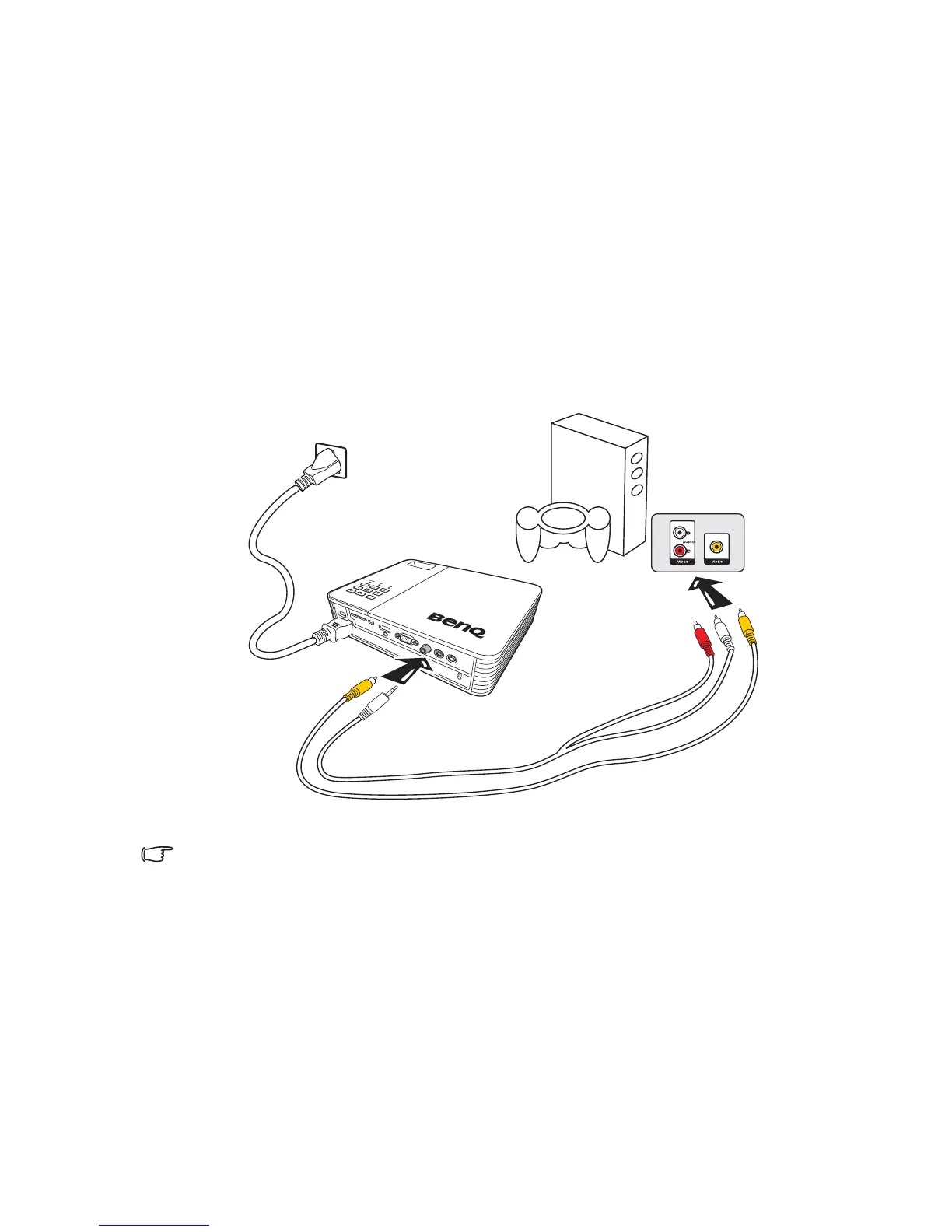
Connecting a composite Video source device
Examine your Video source device to determine if it has a set of unused composite Video
output sockets available:
• If so, you can continue with this procedure.
• If not, you will need to reassess which method you can use to connect to the device.
To connect the projector to a composite Video source device:
1. Take a Video cable and connect one end to the composite Video output socket of
the Video source device.
2. Connect the other end of the Video cable to the Video jack on the projector.
3. If you wish to make use of the projector speaker, take a suitable audio cable and
connect one end of the cable to the audio output sockets of the Video source
device, and the other end to the audio input socket on the projector.
You need only connect to this device using a composite Video connection if Component Video
input is unavailable for use. See "Connecting Video source devices" on page 19 for details.



 To Next Page