English
25
Operations
Operations
Starting up the projector
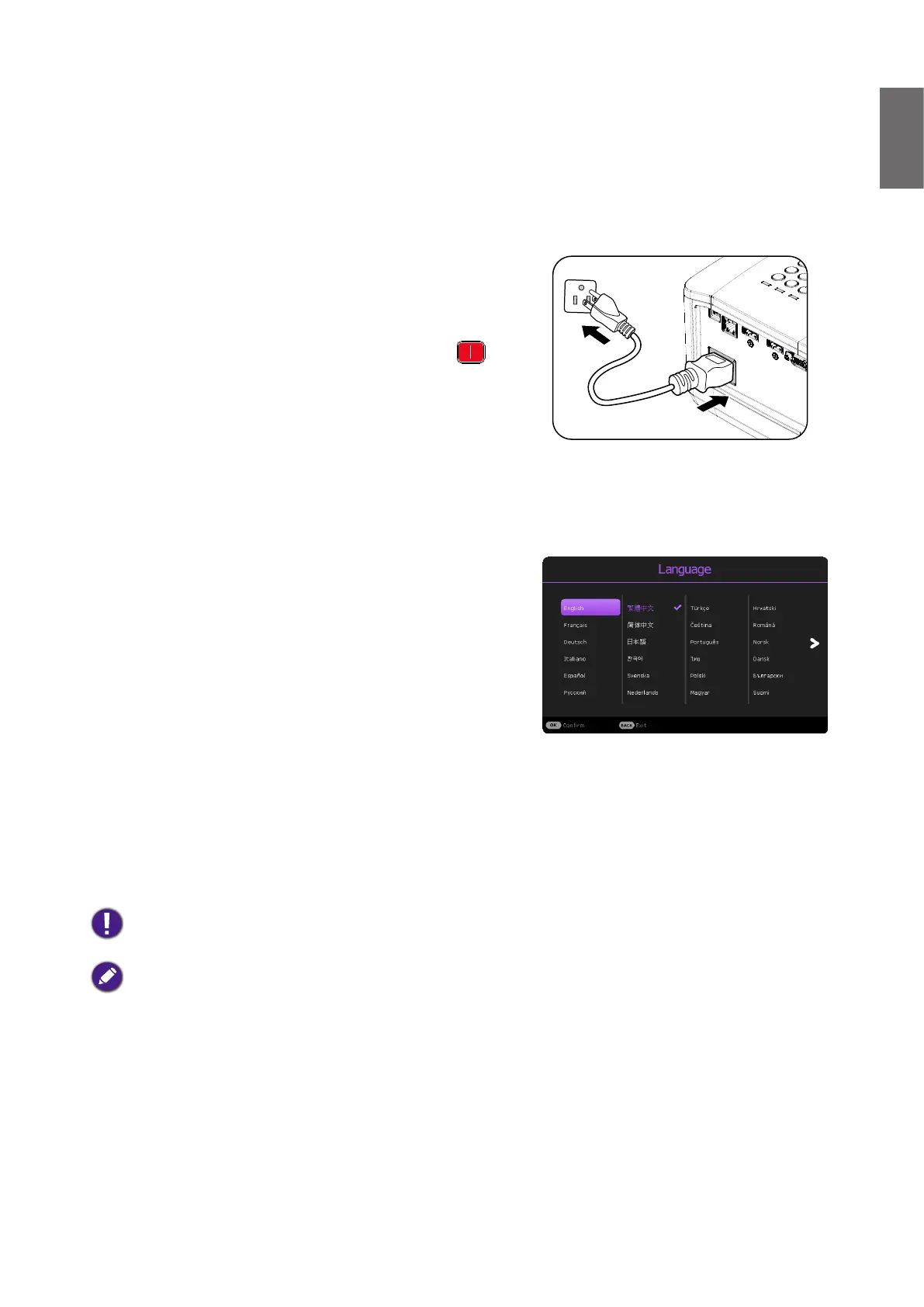
1. Plug the power cord into the projector and into a
wall socket. Turn on the wall socket switch (where
tted). Check that the POWER indicator light
on the projector lights orange after power has been
applied.
2. Press POWER button on the projector or
on the remote control to start the projector. The
POWER indicator ashes green and stays green
when the projector is on.
The start up procedure takes about 30 seconds. In
the later stage of start up, a startup logo is projected.
(If necessary) Rotate the focus ring to adjust the
image clearness.
3. If the projector is activated for the rst time,
select your OSD language following the on-screen
instructions.
4. If you are prompted for a password, press the arrow
keys to enter a 6-digit password. See "Utilizing the
password function" on page 30.
5. Switch all of the connected equipment on.
6. The projector will search for input signals. The
current input signal being scanned appears. If the
projector does not detect a valid signal, the message
“No Signal” will continue displaying until an input
signal is found.
You can also press SOURCE to select your desired input signal. See "Switching input signal"
on page 31.
• Please use the original accessories (e.g. power cord) to avoid possible dangers such as electric shock and
re.
• The Setup Wizard screenshots are for reference only and may differ from the actual design.
• If the frequency/resolution of the input signal exceeds the projector's operating range, you will see the
message “Out of Range” displayed on the background screen. Please change to an input signal which is
compatible with the projector's resolution or set the input signal to a lower setting. See "Timing table" on
page 54.
• If no signal is detected for 3 minutes, the projector automatically enters saving mode.



 To Next Page