English
44
Menu operation
Display
Aspect Ratio
There are several options to set the image's aspect ratio depending on your
input signal source.
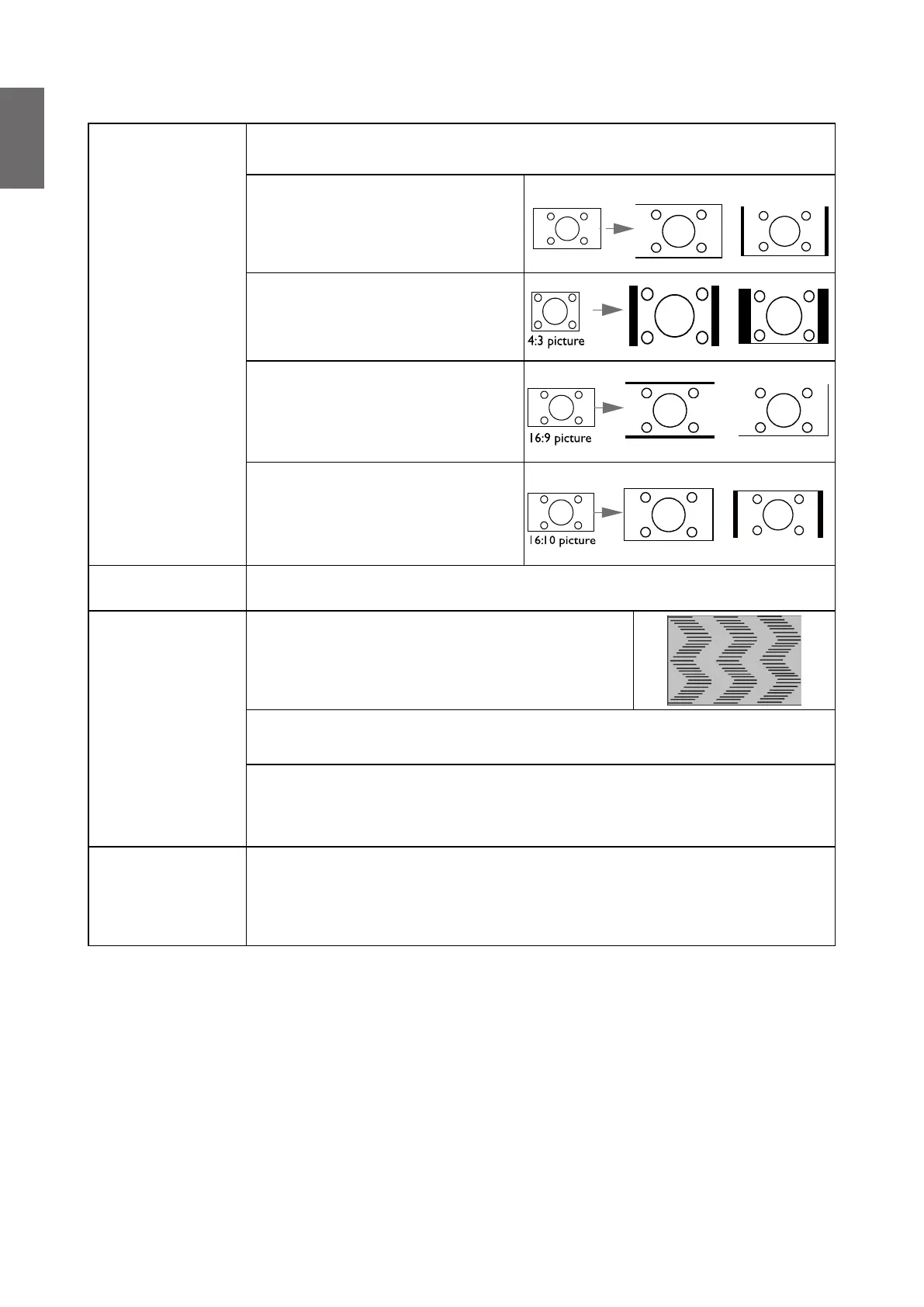
• Auto: Scales an image
proportionally to t the
projector's native resolution in its
horizontal or vertical width.
15:9 picture
(LW855UST) (LH856UST)
• 4:3: Scales an image so that it
is displayed in the center of the
screen with a 4:3 aspect ratio
• 16:9: Scales an image so that it
is displayed in the center of the
screen with a 16:9 aspect ratio
• 16:10: Scales an image so that it
is displayed in the center of the
screen with a 16:10 aspect ratio
Auto Source
Search
Allows the projector to automatically search for a signal..
PC & Component
YPbPr Tuning
• Phase: Adjusts the clock phase to reduce
image distortion. This function is only available
when a PC signal (analog RGB) or YPbPr signal
is selected.
• H. Size: Adjusts the horizontal width of the image.
This function is only available when a PC signal (analog RGB) is selected.
• Position: Displays the position adjustment page. To move the projected
image, use the directional arrow keys. This function is only available when
a PC signal (analog RGB) is selected.
Auto Sync
• On: Allows the projector to automatically determines the best picture
timings for the displayed image when PC signal (analog RGB) is selected
and AUTO is pressed.
• Off: The projector will not respond when AUTO is pressed.



 To Next Page