Set up for Interactive Function 13
Alignment Instructions
Alignment View
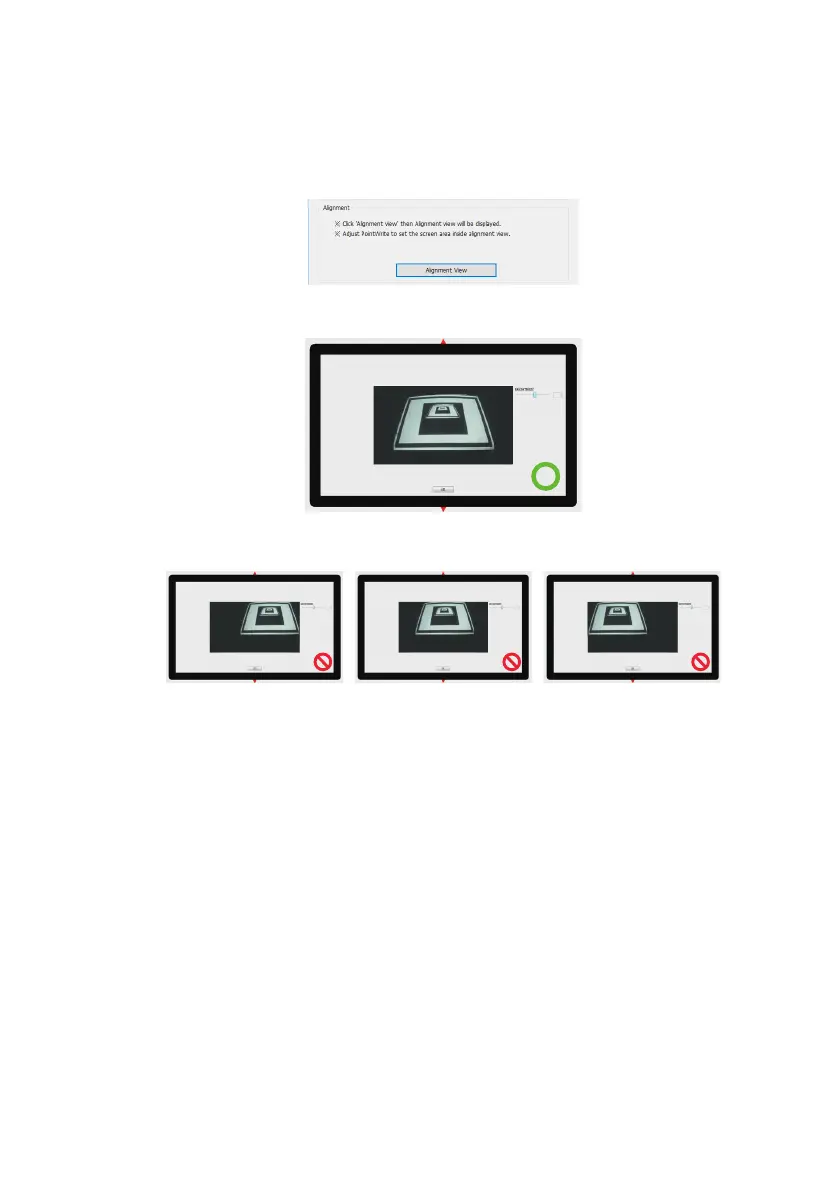
The PointWrite Alignment function is to set the orientation of the PointWrite to the
screen.
Alignment View: When clicking on the "Alignment View", the screen image is displayed
on the alignment view as illustrated.
If the screen image is not in the center, the calibration will fail. Please make sure the
PointWrite module is attached to the projector properly.
• Right side conflict • Left side conflict• Upper side conflict



 To Next Page