Prepare for Setup 5
Instructions for Surface
Optimal interactive quality will be dependent on the selected surface condition. It is
important to choose a flat and non-reflective surface to secure the writing performance.
Selecting a wall surface
• Select a wall that is straight and flat, avoid any protruding objects on it.
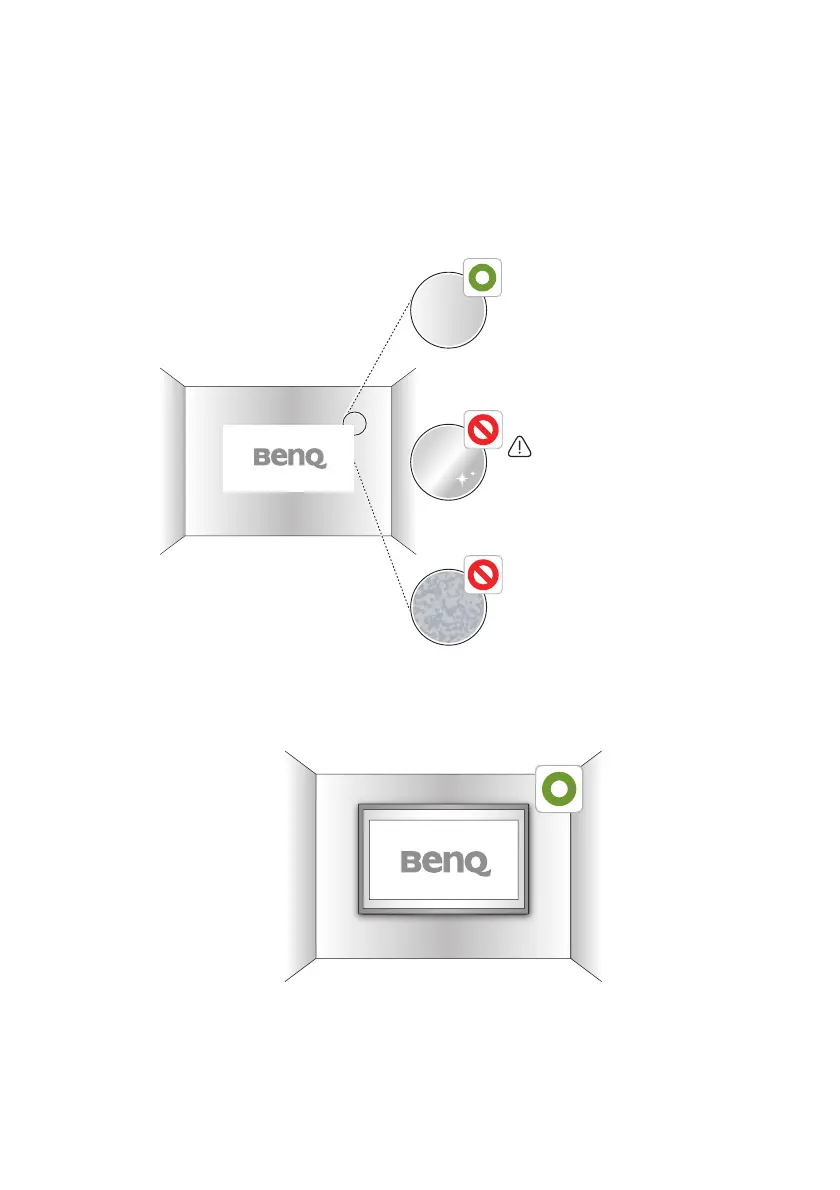
• Project on a smooth, semi-gloss painted surface to reduce glare from the projector, to
achieve optimal touch quality and to reduce wear on the pen nib.
Selecting a board surface
Attach a dry-erase board to the wall if you’re projecting on a textured wall surface. A dry-
erase board is a flat surface that works well with your interactive projector and allows you
to write smoothly in digital ink.
Semi-gloss surface
Glossy surface
Glossy surface will increase
the external light intensity and
interference may happen.
Non-smooth surface or
with protruding object on
the surface.



 To Next Page