PointWrite Module Installation on Projector 7
PointWrite Module Installation on Projector
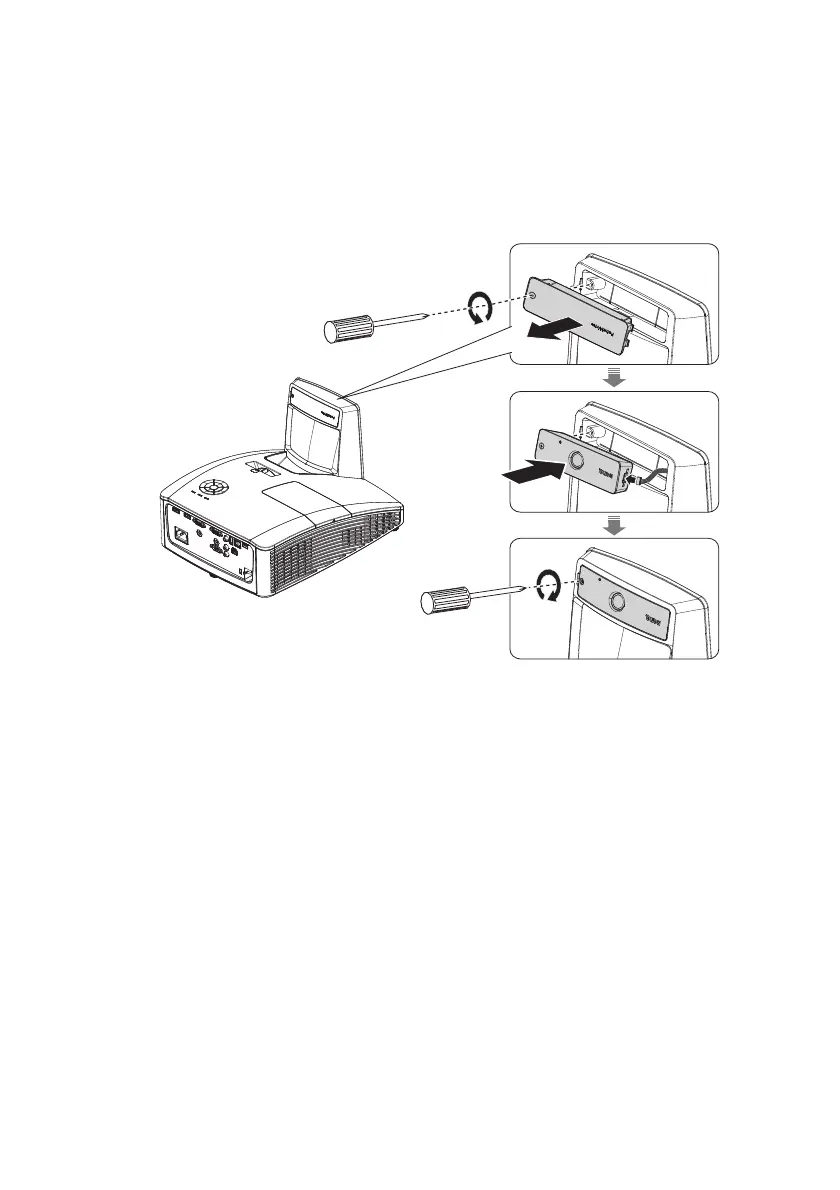
Attach the PointWrite to the projector as illustrated and tighten the screw to secure the
PointWrite.
1. Remove the cover on the projector as illustrated.
2. Connect the cable to the PointWrite and install the PointWriter as illustrated
3. Tighten the screw to secure the PointWrite.



 To Next Page