Set up for Interactive Function14
PointWrite Calibration
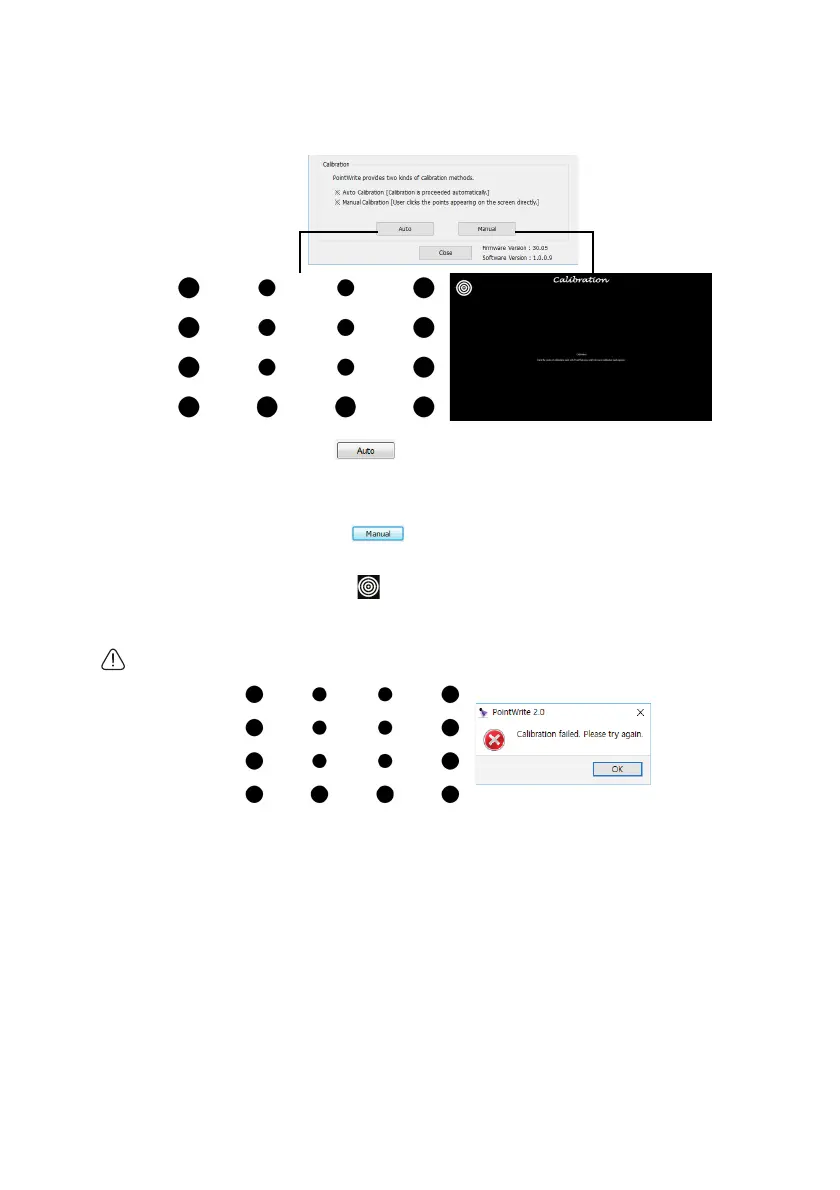
PointWrite provides two kinds of calibration methods: auto calibration and manual
calibration.
Auto calibration: Click on and the calibration process will run automatically.
When you choose this method, white image is shown on the screen and the pattern image
is displayed.
Manual calibration: Click on and calibration window will be projected on the
screen.
Use the PointWrite pen to click on the center of calibration cursor immediately after
it appears. Then the next cursor will display. Repeat this process until the last calibration
cursor disappears.
Caution: In rare circumstances, auto calibration may fail or accuracy may be low. In this case, please execute
the manual calibration.



 To Next Page