6
Overview
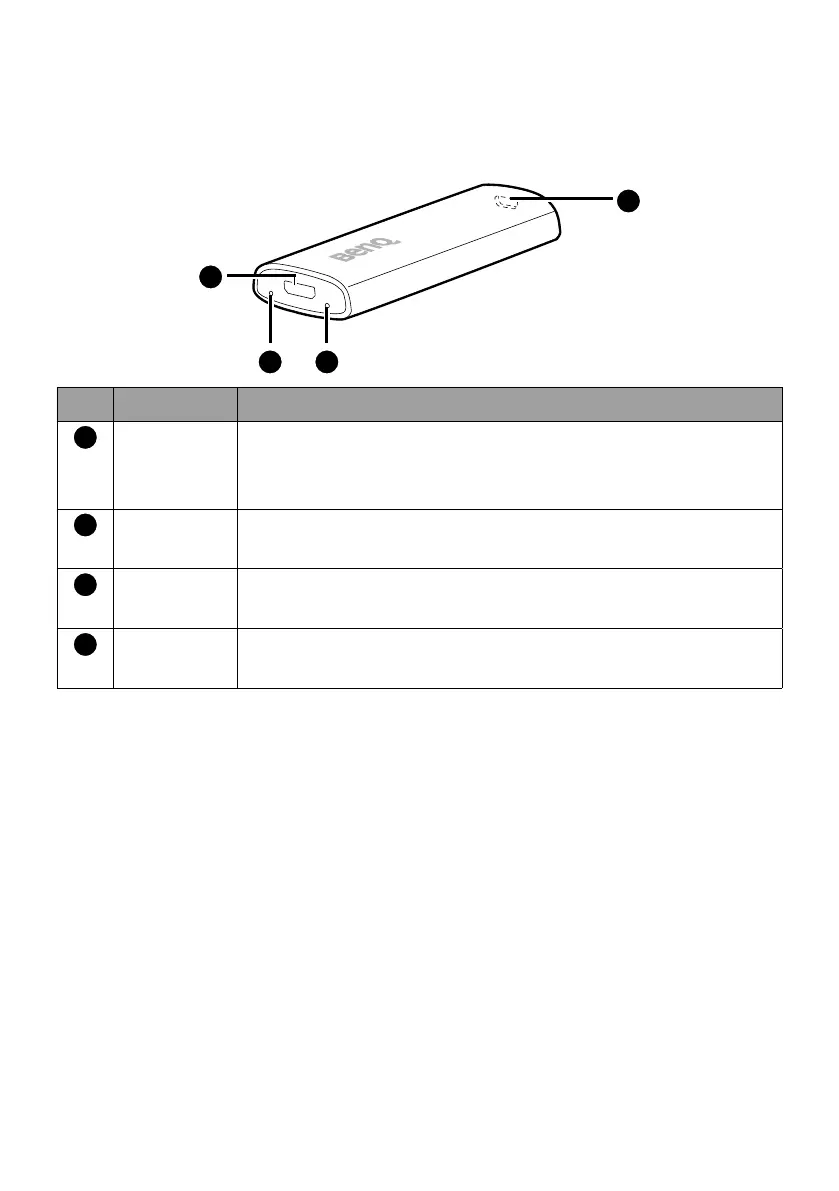
QS02 dongle
1
4
32
No. Item Descriptions
1
Micro USB
port
Connects to the projector’s USB port (or a standard
adapter head) via the USB splitter cable to supply the
dongle with power.
2
Service
port
(Service only) Press to disconnect all paired Bluetooth
devices. Pairing instructions will be displayed then.
3
LED
indicator
Lights up blue when power is supplied.
4
Mini HDMI
port
Connects to a display. Use of the HDMI adapter may
be required.



 To Next Page