12
Connection and pairing with a
projector purchased separately
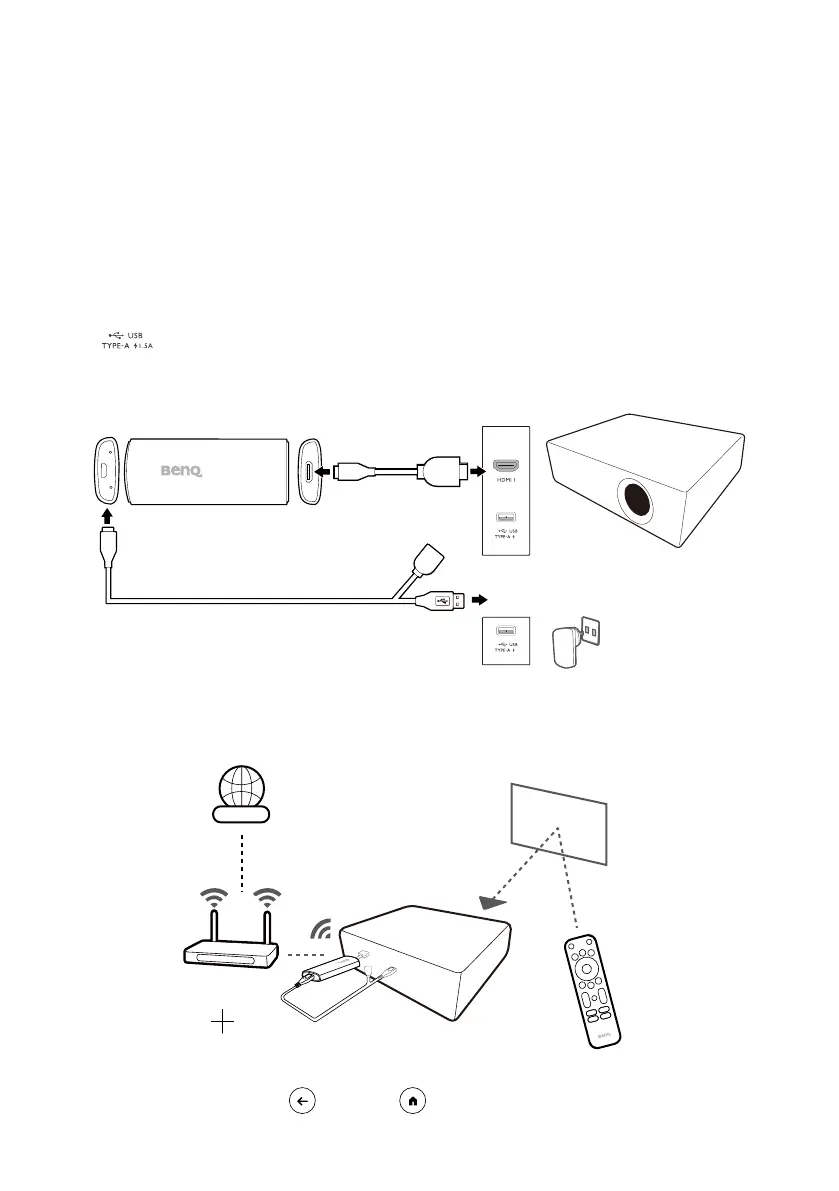
If the QS02 dongle is purchased separately, install the dongle to the
projector properly before powering on the projector.
1. Install the dongle to the HDMI port on the projector via the HDMI
adapter supplied with the dongle.
2. Supply power to the dongle using the supplied USB splitter cable. You
can either connect the dongle to the USB type-A port labeled with the
symbol on your projector (if available) or to a power adapter
(purchased separately). Make sure the power outlet is able to provide
5V/1A power.
or
3. Once the QS02 dongle has been installed properly, power on the
projector and follow the on-screen instructions to complete the initial
setup with the dongle's remote control.
Internet
QS02's remote control
Wi-Fi
Google Account
4. Press and hold the and the buttons on the remote control at the



 To Next Page