Android system interface 47
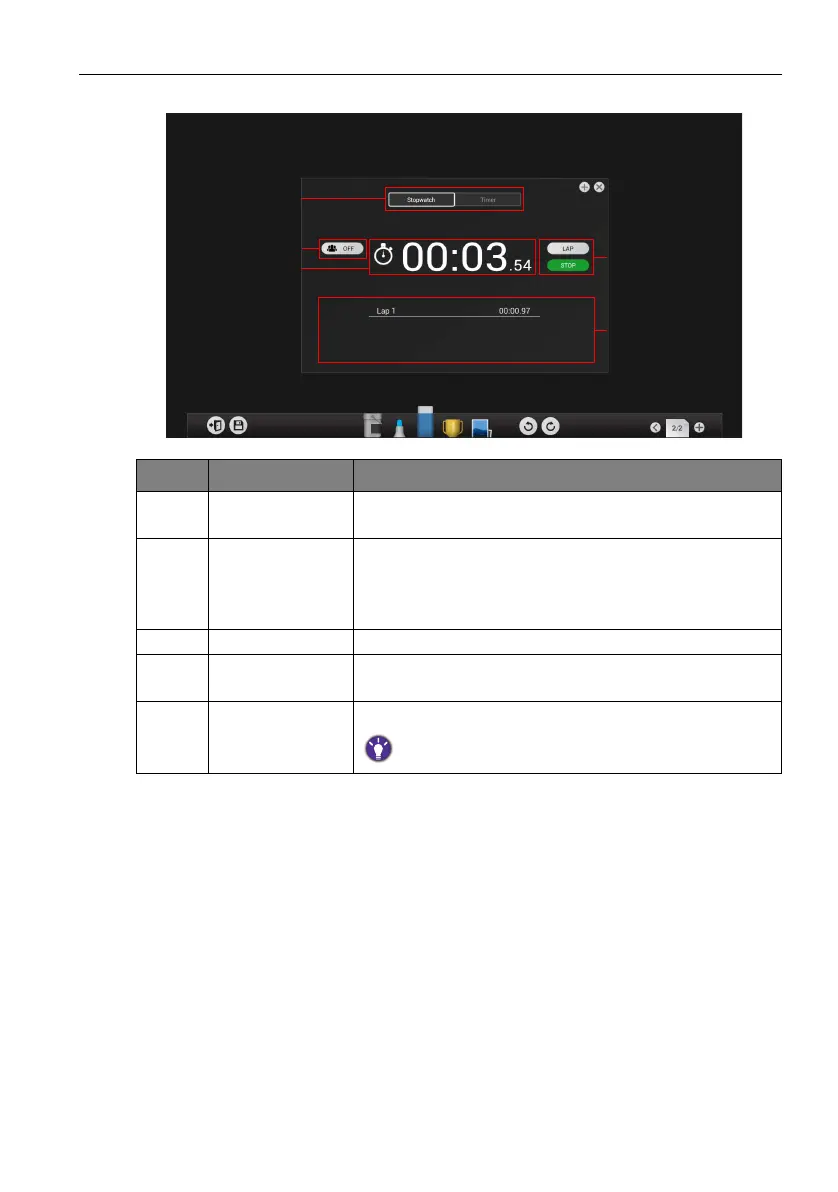
3. Click the group mode button to turn group mode off as shown below.
4. Click Timer to switch to Timer.
Item Function Description
1Stopwatch /
Timer
Click to switch between Stopwatch and Timer.
2 Group mode Click to turn group mode ON. Group mode allows you
to have up to five groups run time-based activities where
each time a group button is pressed the time spent by
that group is recorded.
3 Stopwatch Displays the running time for the activity.
4 Start / Lap Click to start/stop the stopwatch or record a lap in the
lap table.
5 Lap table Displays the times for each lap recorded.
The lap table only appears when group mode is turned off.


 To Next Page
 Loading...












