Android system interface52
Te a m P o s t
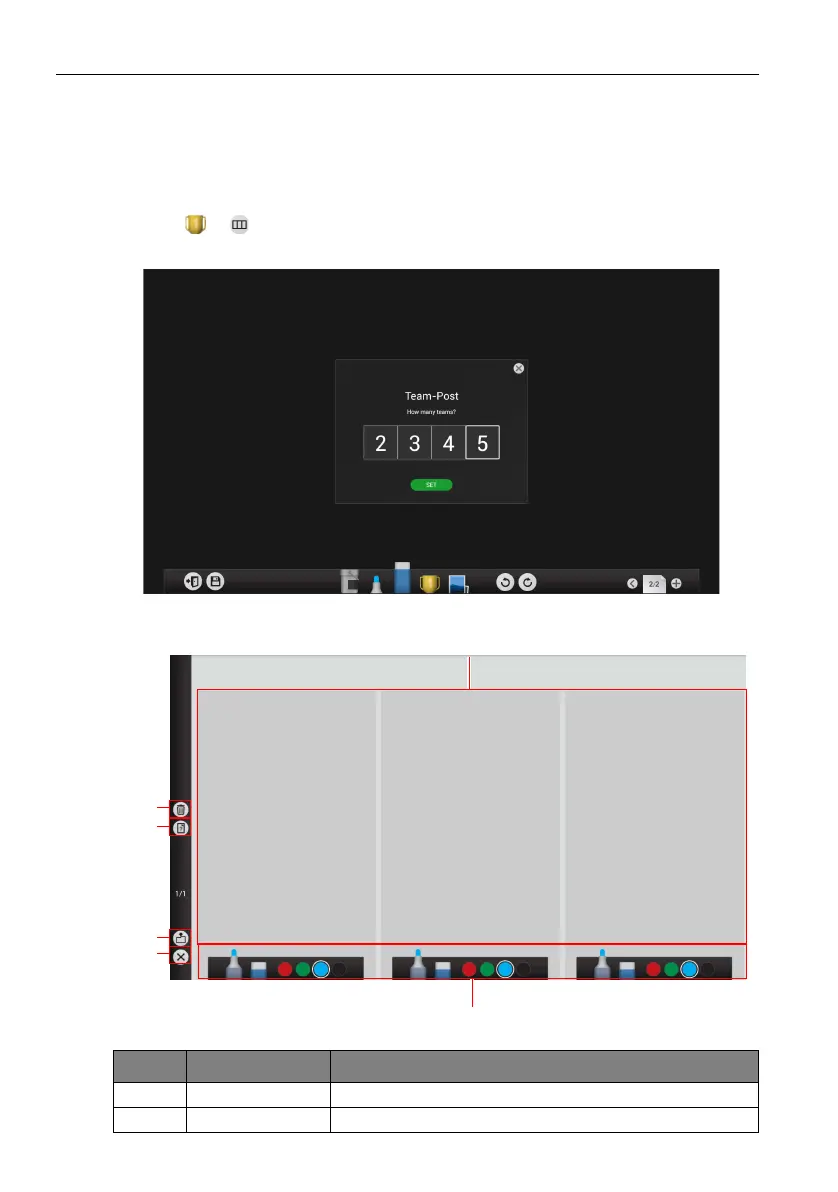
Team Post allows 2 to 5 teams to use simplified versions of the EZWrite 3.0 drawing
tools for use in multi-person interactive brainstorming games/actives. Team Post also
allows a moderator/teacher to distribute a question to all teams participating in the team
post game/activity.
1. Click > in EZWrite 3.0.
2. Select the number of teams you want to participate.
3. The team post screen will appear on the display as shown below.
Item Function Description
1 Drawing boards Use pens or touch gestures to draw.
2 Clear all Click to clear every drawing board.



 To Next Page