2
1.4. Installing and Removing Table Stands (optional)
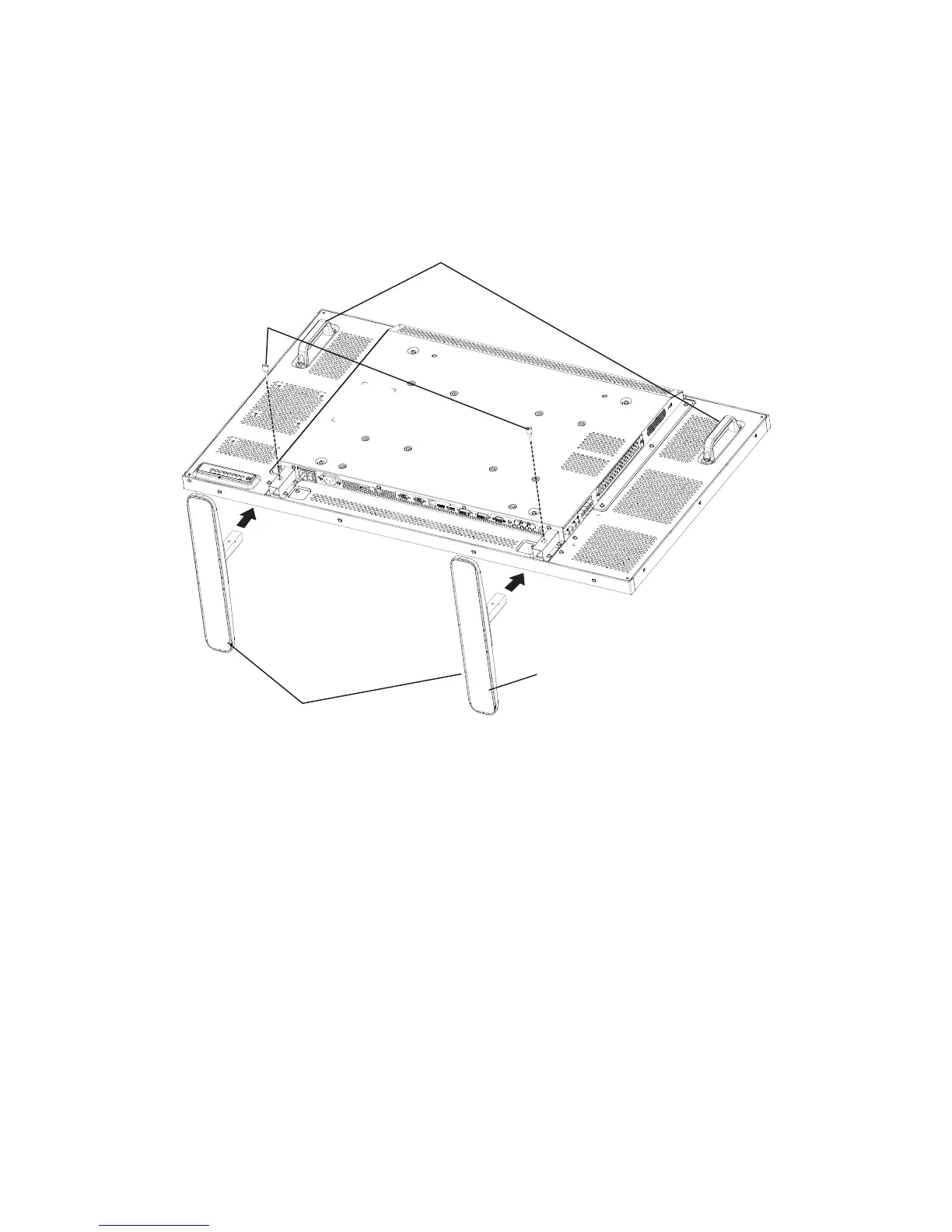
To install table stands:
1. Ensure your display is powered off.
2. Spread a protective sheet on a at surface.
3. Grab the carrying handles and place the display face-down on the protective sheet.
4. After inserting the stand in the guide block, tighten the screws on both sides of the display.
NOTE: The longer side of the stand should face the front of the display.
Carrying handle
Thumbscrews
Longer portions face the front
Table stand
To remove table stands:
1. Power off the display.
2. Spread a protective sheet on a at surface.
3. Grab the carrying handles and place the display face-down on the protective sheet.
4. Remove screws using a screwdriver and place them in a safe place for reuse.



 To Next Page