30 Menu operation
Advanced Color
Settings
(Continued)
• Color Management
The Color Management provides six sets (RGBCMY) of colors to be
adjusted. When you select each color, you can independently adjust its
range and saturation according to your preference.
To make adjustments, press the / arrows to highlight an independent
color from among Red (R), Green (G), Blue (B), Cyan (C), Magenta (M), or
Yellow (Y), and press OK. The following menu items are displayed for your
choice.
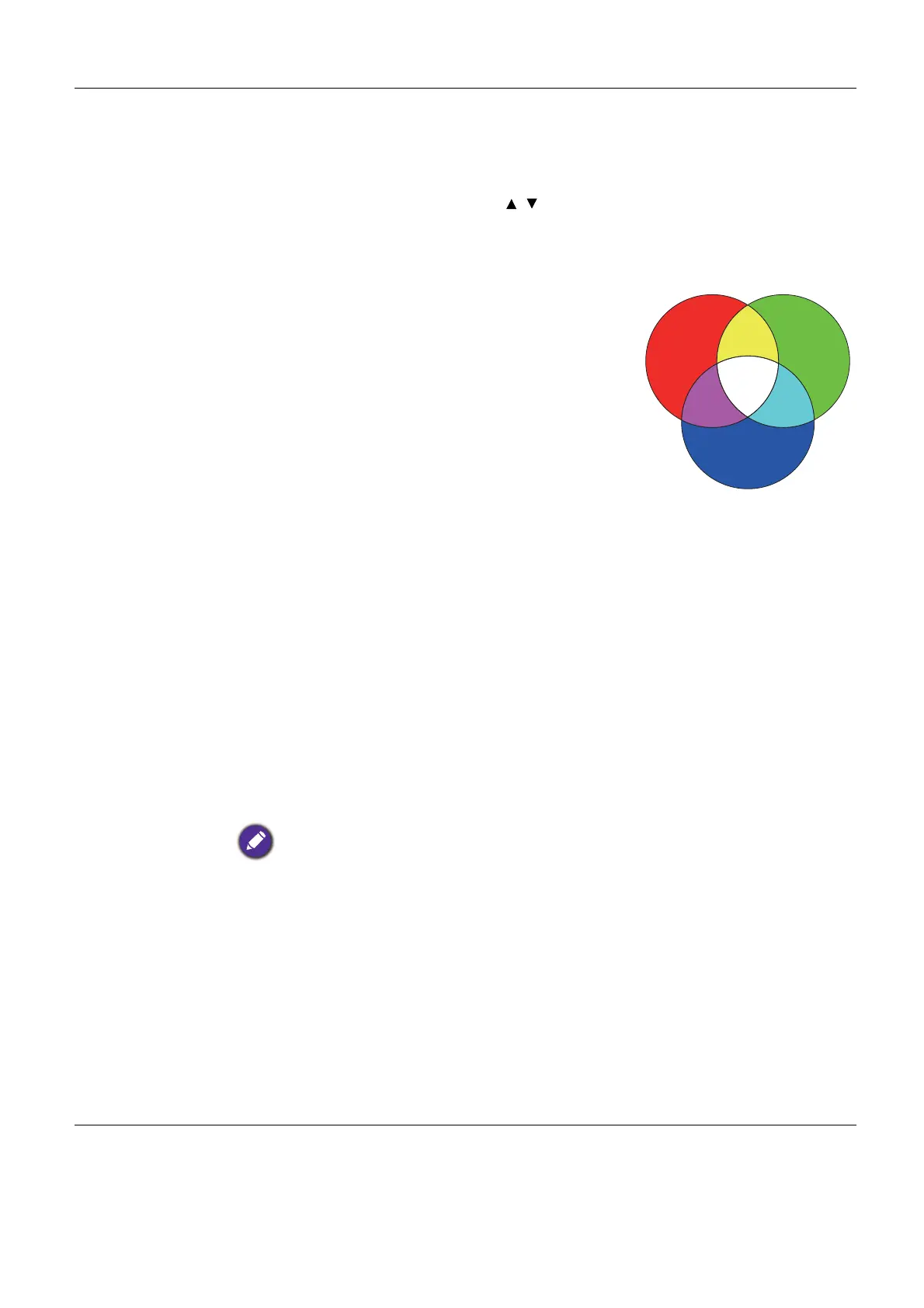
• Hue: Increase in the range will include
colors consisted of more proportions
of its two adjacent colors. Please refer
to the illustration for how the colors
relate to each other.
For example, if you select Red and set
its range at 0, only pure red in the
projected picture will be selected.
Increasing its range will include red
close to yellow and red close to
magenta.
• Saturation: Adjusts the values to your
preference. Every adjustment made
will reflect to the image immediately.
For example, if you select Red and set its value at 0, only the
saturation of pure red will be affected.
• Gain: Adjusts the values to your preference. The contrast level of the
primary color you select will be affected. Every adjustment made
will reflect to the image immediately.
If you selected W, you can adjust the contrast levels of Red, Green, and Blue
by selecting R Gain, G Gain, and B Gain.
To return all the settings to the factory default values, highlight Reset, and
press OK.
Saturation is the amount of that color in a video picture. Lower settings produce less
saturated colors; a setting of “0” removes that color from the image entirely. If the
saturation is too high, that color will be overpowering and unrealistic.
• Light Source Mode
Selects a suitable light source power from among the provided modes. See
Extending light source life on page 44.
• HDR Brightness
The projector can automatically adjust the brightness levels of your image
according to the input source. You can also manually select a brightness
level to display better picture quality. When the value is higher, the image
becomes brighter; when the value is lower, the image becomes darker.
RED
BLUE
GREEN
Yellow
Cyan
Magenta



 To Next Page