Parts of the display and their functions 11
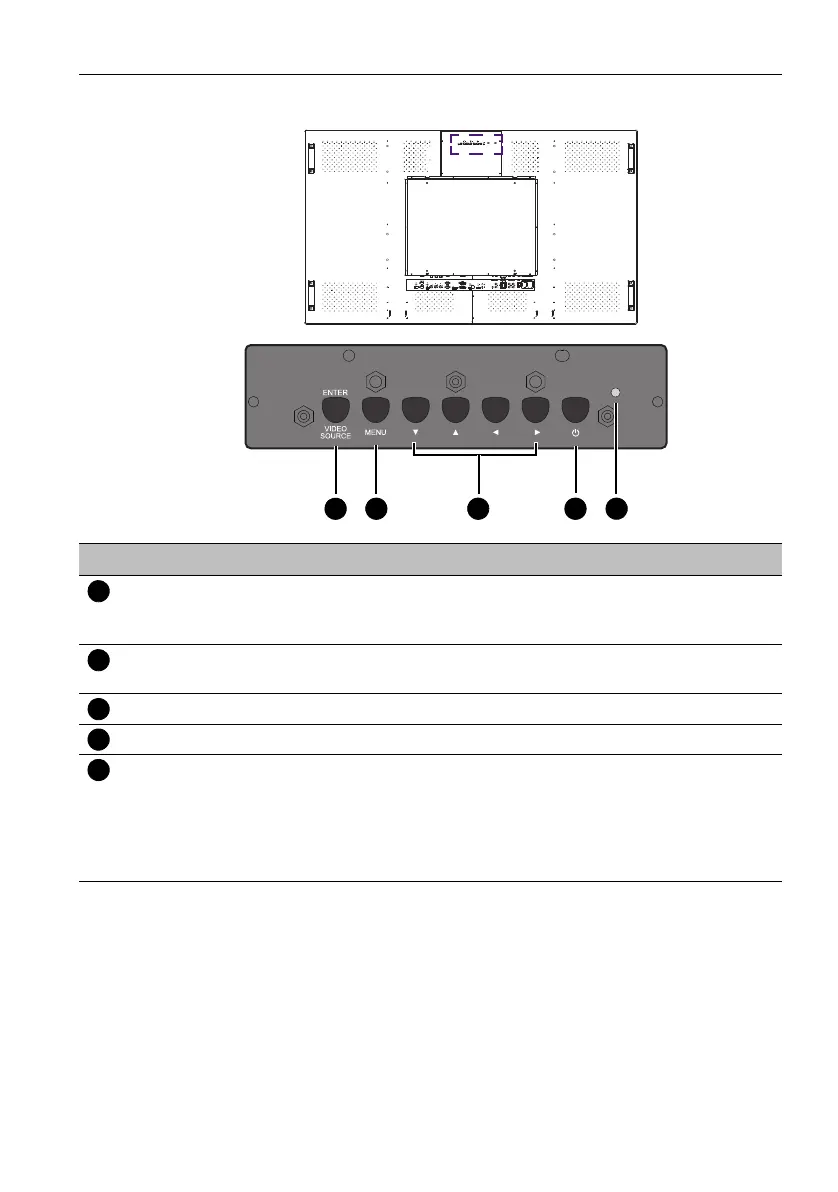
Rear panel
No. Name Description
ENTER/VIDEO
SOURCE
• Selects a video source.
• Confirms your selection or enters a submenu in the On-
Screen Display (OSD) menu.
MENU • Opens the OSD menu.
• Returns to a previous menu or exits the OSD menu.
/ / / Scrolls through settings and options in the OSD menu.
Power button Turns on the display or puts it in standby mode.
Power indicator Indicates the power status of the display:
- Lights up green when the power is turned on.
- Lights up red when the display is turned off.
- Flashes red when the display is in standby mode.
- Off when the main power is turned off.



 To Next Page