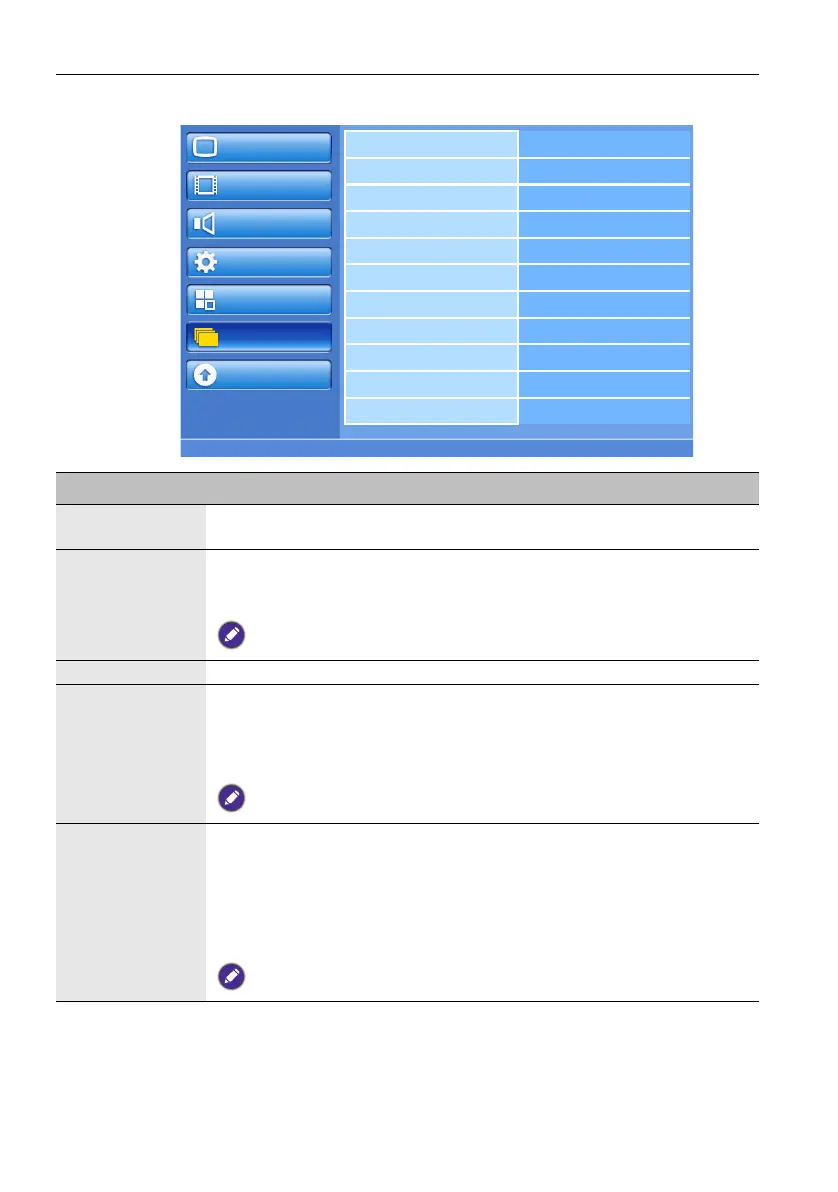
The OSD (On-Screen Display) menu46
Option menu
Picture
Screen
Audio
Configuration1
Configuration2
Option
Update
Input resolution
Black level expansion
Settings cloning
Scan mode
Scan conversion
Film mode
IR control
IR out
Keyboard control
Tiling
Heat status
Name Description
Input resolution Sets the VGA input resolution. This is only required when the display
cannot detect the resolution correctly.
Black level
expansion
This feature offers deeper blacks for an even better image quality. Select a
suitable black level expansion setting to reveal more details in the dark
parts of an image.
For Component and HDMI (video mode) inputs only.
Settings cloning Transfers all the OSD settings between the display and a USB flash drive.
Scan mode Changes the display area of the image.
• Overscan - Displays about 95% of the original size of the image. The
rest of the areas surrounding the image will be cut off.
• Underscan - Displays the image in its original size.
For Component and HDMI (video mode) inputs only.
Scan conversion Sets the IP (Interlace to Progressive) conversion function.
• Progressive - Enable the IP conversion function (recommended). Once
enabled, the interlace input signal will be converted to progressive
format for better display quality.
• Interlace: Disable the IP function. This mode is suitable for displaying
motion pictures, but increases the chance of image retention.
For Component and HDMI (video mode) inputs only.


 To Next Page