Using the touch screen 29
Calibrating the touch screen
You can calibrate the touch screen to use it more efficiently.
Refer to Calibration tools on the enclosed CD to perform the operation.
Important instructions for using the touch screen
• Do not bend the retro-reflective bars. The touch screen cannot function normally if the
bars are bent.
• Keep the touch screen out of direct sunlight or spotlights.
• Avoid displaying still images to prevent image retention.
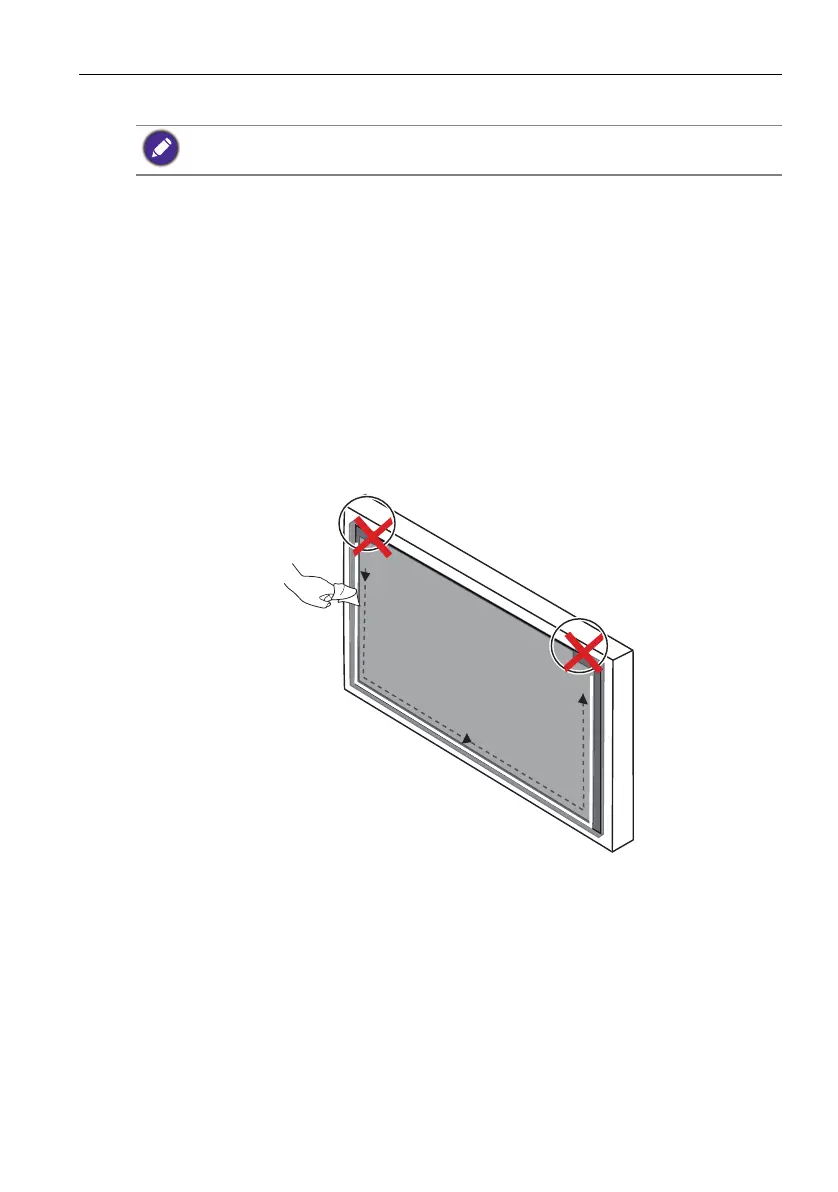
• Regularly clean the retro-reflective bars with a clean, soft cloth. A dusty environment
may adversely affect the performance of your touch screen. Clean the retro-reflective
bars as illustrated below. Do not clean the touch sensors on the top of the screen.
Ensure that you have installed the supplied USB cable on the display to a computer.


 To Next Page